 Tritris Game Tritris Game
 
Plays: 2008
Category: Action Games
This is perhaps one of the most challenging versions of tetris you've ever played, as you have to control three falling blocks simultaneously! Same as the original tetris, your goal in this game is to move and rotate the descending blocks so that they can form a complete row and be destroyed. Before the game starts, you are allowed to set the starting level and the number of game piles. Choose a level between 1 to 20 and the number of game piles from 1 to 3 by clicking the up and down arrow buttons shown on the right of the screen. After you have completed the settings, click the Start button at the bottom to begin the game. Then you will be given your chosen number of piles, and a block will move downward in each of the piles. To move of the blocks, you may use the left, right and down arrow keys on your keyboard. Press X to rotate the block in clockwise direction, or press Z for counterclockwise rotation. If you have more than one pile, you may press Spacebar to move to another pile and control the blocks. The next block will be shown at the top of the piles, so take notice of these hints for better arrangement. When the blocks form a complete row, they will be removed from the pile. If the blocks reach the top of a pile and no more blocks can be destroyed, the game ends. Showcase your brilliant performance of Tritris to impress your friends! |  Montris Game Montris Game
Plays: 2008
Category: Action Games
Your favorite arcade classic has come back to life and is waiting for your challenge! In the game of Montris, your goal is to rotate the groups of blocks so that they fill the rows in the play area and then be destroyed. When the game starts, a group of blocks will descend from the top of the play area, and the next group will be displayed at the top left corner of the play area for your reference. You can press the left and right arrow keys on your keyboard to move the group of blocks, the up arrow key or X key to rotate the block in clockwise direction, the Z key for counterclockwise rotation, and the down arrow key to drop the block. When the groups of blocks fill a complete row, they will be removed from the play area. Each level has a specific number of rows to be filled, as shown on the right of the screen. You need to fulfill the requirement in order to proceed. If the blocks pile up and reach the top of the play area, the game ends. Charge into the electrifying cascades for unlimited excitement! |
 Plug's Quest Game Plug's Quest Game
Plays: 1845
Category: Puzzles Games
Help the King Plug reach the sleeping plug and wake him up! Rotate the pieces in between to connect them. This is a fun and unique chain-reaction puzzle game featuring various levels of difficulty. | 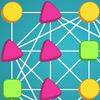 Squares Game Squares Game
Plays: 1813
Category: Action Games
Be prepared to indulge in the exciting game of Squares! Your aim in this game is to rotate the objects until 4 of the same kind form the four corners of a square, so that those objects can be removed. You will be given a 4x4 square with various types of objects evenly distributed on the spots. When you move your mouse to an object, a square will frame its three adjacent objects, indicating that these four objects will be rotated together. Click to rotate the objects and arrange 4 identical objects into four corners of a square, and the objects will be destroyed. The squares formed by the objects can be of any sizes and orientations; a larger square will give a higher score. You will first start by rotating in counterclockwise direction, but you may change it by pressing the Spacebar on your keyboard or by clicking the arrow buttons at the bottom of the play area. The bar on top of the square indicates the remaining time, and when it reaches its end on the left, the game ends. Extra time will be awarded when objects are successfully removed, so form more combos to extend the fun! |