| Online add Games |
|---|
|
 Fudge Brownie Designer Game Fudge Brownie Designer Game
 
Plays: 4001
Category: Dress-Up Games
Make some very chocolaty Fudge Brownies by dragging and dropping all kinds of sweet treats! You can cover your brownie with
more chocolate or maybe add some chocolate marshmallows to the mix! When your done you can make a custom wallpaper or save your treat as a graphic! |  Lost City of Egypt (Spot the Differences Game) Game Lost City of Egypt (Spot the Differences Game) Game
Plays: 3999
Category: Education Games
Once what was lost, is now found again. Welcome to the lost city of Egypt, you are truly lucky to have found it. You must now roam the streets of the lost city of Egypt and find out what is different about it; you are given a blueprint of the city to compare it to. So get started and carry your luck with you.
Game Features:
7 Fun Filled Levels
6 Achievements to Unlock |
 Warning Foregone Game Warning Foregone Game
Plays: 3997
Category: Shooting Games
Beat increasingly harder bosses as they adapt, stage by stage, to your tactics and purposefully upgrade those weapons that annoy you the most! Can you prevail and beat the dreaded Black Heart? The game features intelligently evolving bosses, 3 end-game boss types with unique weapons, 7 unlockable weapons for the player and 32 achievements to collect. This great retro-styled arena shooter developed by Jakub Wasilewski has been sponsored by Retromundi, feel free to add it to your site! Soundtrack by 8 bit Weapon.
|  Mallet Coloring Game Mallet Coloring Game
Plays: 3993
Category: Other Games
Get ready to color this really cool looking hammerhead shark named Mallet. How cool can you make Mallet look when you add a little bit of color in to his life? |
 Christmas Lucky Socks1.2 Game Christmas Lucky Socks1.2 Game
Plays: 3986
Category: Puzzles Games
1.First, the screen will appear 3 socks. Once you move a sock, the other three socks will be added at random.There are total five different socks. Five same balls at least in a line will disappear and get scores and gifts attaching in the socks. And when the socks disappeared, it would not add new ones.
2.The path that Moving a sock will be prevented when the others block it and have no paths.
3.The key to pass the mission is collect the gifts in the socks. Only collect all the gifts the mission needed, you will win,
Tips: if you want to get a high-star rank, you should finish the game as soon as possible.
In addition,you can buy props in the shop to help you. The hidden rounds already open, try your best. |  Skull-Ball Game Skull-Ball Game
Plays: 3981
Category: Sports Games
A creepy 'pong' type game for two players.
Each player controls a bone bat, and has to keep the bouncing skull in play.
Randomly spawned bone tokens add to the game's complexity. |
 Space Invaders Duel Game Space Invaders Duel Game
Plays: 3971
Category: Action Games
Space Invaders Duel add a twist to the old arcade game classic. You can now play on the side of the aliens and try to destroy the human defence to conquer the earth.
Even better, you can play against a friend and see who is better in conquering/defending.
Developed by 123flashgames. |  Mytheria Game Mytheria Game
Plays: 3942
Category: Strategy Games
A sci-fi card game. Defeat your opponents with creatures and spells, test strategies, and build your own decks.
Want to help design the sequel? Come add your ideas at our forums: http://www.diffusiongames.com/forums, or sign up for the mailing list at http://www.diffusiongames.com/mytheria |
 Beautiful Dreams (Spot the Differences Game) Game Beautiful Dreams (Spot the Differences Game) Game
Plays: 3936
Category: Education Games
A patient has the same beautiful dreams every night, but he is terrified of them. You being the patients' doctor will monitor his beautiful dreams over time and then compare them to each other. So take a look at the dreams and find the fine differences.
Game Features:
7 Fun Filled Levels
6 Achievements to Unlock |  Micro Trux 2 Game Micro Trux 2 Game
Plays: 3920
Category: Driving Games
Micro Trux 2 Takes micro trux to a whole new world, Paradise Island, make your way through different places around the island from the depths of the jungle to the bottom of the ocean, you must collect stars by completing certain challenges, and these stars add up in order to unlock the next track. |
 Binki. On the chicken farm (Mobile) Game Binki. On the chicken farm (Mobile) Game
Plays: 3919
Category: Adventure Games
You must Help Binki to catch all eggs.
Gold eggs add more score and restore your life.
Gray eggs reduces your score by 10. | 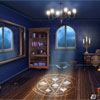 Secret Room Solitaire Game Secret Room Solitaire Game
Plays: 3906
Category: BoardGame Games
New colorful game for all fans of interesting solitaire games by Free-Game-Planet.com. The game in patience starts in the old house in the secret room at nightfall. Remove all cards from the tableau. Collect the chain from king till ace then the chain will disappear. If there is no move click at Stack to add new cards. Try to solve this addictive puzzle. |
 Math Attack! Challenge Game Math Attack! Challenge Game
Plays: 3889
Category: BoardGame Games
How smart are you? Are you fast with numbers? Probe it! | 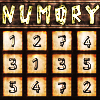 Numory Game Numory Game
Plays: 3884
Category: BoardGame Games
|Number + Memory = "Numory"|
Can you remember and add at the same time,...?| |
 Draw It 2 Game Draw It 2 Game
Plays: 3881
Category: Other Games
A simple drawing game to add onto the original draw it |  Mr. Vario Game Mr. Vario Game
Plays: 3876
Category: Action Games
Blast Mr. Vario through the sky and guide him as he collects coins and fights monsters in mid-air! Spend money on upgrades to send him hurtling further. There are also plenty of achievements to collect and different monster types to defeat and add to your library of foes! See if you can find them all! |
 ASD Piano Maestro Compositor Game ASD Piano Maestro Compositor Game
Plays: 3860
Category: Education Games
ESPAÑOL (English bellow)
=======
El ASD Piano es un dispositivo creado por I2 Interactive y vendido ampliamente por todo el mundo. Aqui puedes divertirte jugando con el. Tiene 7 teclas que se corresponden con las 7 notas y puedes tocarlas presionando la tecla correspondiente en tu teclado A-S-D-F-G-H-J
En este juego tiene 3 modos para pasar un buen rato con el ASD Piano TM.
Free Mode: Aqui puedes jugar como quieras, presionando las teclas como desees. Haz click en el boton Back para regresar a la pantalla de titulo.
Memory: Oiras una corta melodia y despues deberas tocarla de nuevo, muchas cortas melodias iran apareciendo y una vez que las toques correctamente puedes enviar tus puntos a la tabla de Hi-Score
Composer: Puedes componer tus propias piezas originales!! y compartirlas con tus amigos, muestra al mundo el talento que tienes!!
En la pantalla del Composer presiona el boton "REC" para empezar a crear tu composicion, toca las teclas como prefieras y sientas de la mejor manera, puedes tocar varias notas a la vez y conseguir increibles resultados. Cuando sientas que esta terminada dale al boton de "STOP" para detener la grabacion. Puedes ajustar la velocidad de la pieza variando el valor dado abajo a la izquierda y tambien puedes añadir una musica de fondo como acompañamiento seleccionandola de la lista de Tunes disponibles de 1 a 6. Puedes tu pieza original dandole a "PLAY", haz click en "STOP" para detenerla en cualquier punto, con la cabeza lectora (flecha verde) parada puedes hacer click en cualquier parte del pentagrama, la cabeza lectora ira alli, tocando cualquier nota ahi modificara esa parte, puedes hacer click en "ERASE PART" para borrar solo esa parte. Si haces click en "ERASE ALL" se borrara toda la composicion asi que ten cuidado, tambien haciendo click en "Back" se borrara toda la composicion asi que salva antes de salir.
Para salvar tu composicion debes hacer click en "SAVE" y luego, en un cuadro blanco situado abajo, haz click con el boton derecho del raton, y en el menu que sale haz click en "Seleccionar todo" luego haz click de nuevo con el boton derecho y selecciona "Copiar" ahora abre tu Bloc de Notas de Windows, ve a "Inicio", luego en "Todos los programas" y despues en "Accesorios", luego haz click en "Bloc de Notas", una vez que se abra, en el menu "Edicion" selecciona "Pegar", luego haz click en "Archivo" y "Guardar" para guardarlo donde quieras.
Para cargar tu pieza o la de tus amigos primero de todo selecciona toda la composicion que tu has recivido (comienza y termina con un numero), luego haz click con el boton derecho en ella y elige "Copiar", luego en el ASD Piano, una vez que estes en el modo Composer, haz click con el boton derecho en el cuadro blanco de abajo y elige "Pegar" luego haz click en el boton "LOAD" y ya puedes hacer click en "PLAY" para escucharla o puedes editarla para añadir tus modificaciones. Puedes tambien hacer click en las canciones prefabricadas "Premade" para cargar una de las 5 melodias disponibles, haciendo esto cargara la cancion entera asi que asegurate de salvar tu composicion antes, mira lo que nuestro talentoso equipo ha hecho y aprende a la vez.
ENGLISH
=============
The ASD Piano is a device made by I2 Interactive and sold widely everywhere. Here you can have fun playing with it. It has 7 keys that correspond to the 7 notes and you can play them by pressing the corresponding keys on your Keyboard A-S-D-F-G-H-J
In this game you have 3 modes to have your fun time with the ASD Piano TM.
Free Mode: Here you can play as you like, pressing the keys as you wish, click the Back button to go to tittle screen.
Memory: You will hear a short melody and then you have to play it again, many short melodies will pop and after succesfully playing them you can submit your score to the Hi-Score table.
Composer: You can compose your own original pieces!! and share with your friends, show the world the talent you have!!
In the composer screen press the "REC" button to start making your composition, play the keys that you wish and feel the best, you can play several keys at the same time and get awesome results. When you feel its finished hit the "STOP" button to finish the recording,
You can adjust your piece speed altering the value given at the bottom left and also you can add a background loop to acompany it selecting from the available tunes from 1 to 6.
You can hear your original piece clicking the "PLAY" button, click "STOP" to halt it at any point, with the playhead stopped you can click on any part of your pentagram, the playhead will go there, and playing any keys there will modify that part, you can click on "ERASE PART" to delete the notes on that part.
If you click "ERASE ALL" the whole piece will be deleted so be careful, also clicking "Back" will delete the piece so save first.
To save it you have to click the "SAVE" button and then, there is a white square at the bottom, right click on it and on the menu click "Select all" then right click again and on the menu click on "Copy" then open your Windows Notepad, go to START then ALL PROGRAMS and then ACCESORIES, then click on Notepad and there select Edit menu and Paste, then click on File and Save to save it anywhere you like.
To load your piece or your friends compositions first of all select the whole composition that you have received (starts and ends with a number), then right click on it and select Copy, then in the ASD Piano, once in the Composer mode right click on the white square at the bottom and select Paste then click on the "LOAD" button and now you can click on "PLAY" to listen to it, or you can edit that to add your own modifications.
You can also click on the premade songs to load them, doing that will load the entire song so be sure to save your work first, see what our talented team has made and learn from there. | 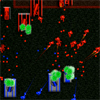 Strategic Mayhem Game Strategic Mayhem Game
Plays: 3854
Category: Action Games
Strategically deploy troops, tanks, and destroyers to defeat the enemy. Add defense towers to protect your base. |
 Edgy Shoes Game Edgy Shoes Game
Plays: 3845
Category: Other Games
the edgy shoes are a perfect add-on to a stylish outfit |  Simple Addition math game Game Simple Addition math game Game
Plays: 3842
Category: Education Games
Simple Addition math game: add the numbers, as many times as you can in a minute |