| Online White Games |
|---|
|
 Kitten Spot Game Kitten Spot Game
 
Plays: 3968
Category: Puzzles Games
You have to check with a flashlight the cute little kittens and to click on the most common kitten ( yellow, blue or white). |  Fashion Swimsuit Diva: White Sandy Tropics Game Fashion Swimsuit Diva: White Sandy Tropics Game
Plays: 3955
Category: Customize Games
Use your fashion wits to come up with some great swimsuit designs. You can mix and match over 150 different swimsuit designs from bikini, tankini, monokini and regular to make your own design. Don't forget to style the hair on the model with over 70 different styles. Be creative! |
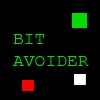 Bit Avoider Game Bit Avoider Game
Plays: 3938
Category: Action Games
Collect white bits while avoiding red bits in this exciting mouse avoider! |  White Porsche Game White Porsche Game
Plays: 3937
Category: Puzzles Games
If you love Car Games, you should play Very nice Puzzle of white Porsche in nature. You can lose puzzle with 12, 24, 48, 64, 81 or 99 pieces. |
 Autumn Princess Game Autumn Princess Game
Plays: 3921
Category: Dress-Up Games
Autumn Princess, fashion princess by www.sweetygame.com More fashion princess and celeb dress up games at www.sweetygame.com |  Just Click Game Just Click Game
Plays: 3888
Category: Puzzles Games
Click the higher to lower number in the white. completed it and you can next step to next next level. |
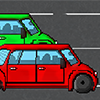 Free Car Run 2 Game Free Car Run 2 Game
Plays: 3886
Category: Action Games
You took the money bags from the bank again. Now in your run away car, but you are on the wrong side of the road and today there happens to be many crazy people on the road! Be on the look out for them! |  Barbie Winter Game Barbie Winter Game
Plays: 3871
Category: Dress-Up Games
Barbie Winter - Winter clothes doesn't have to be black or white. Check out Barbie's jackets and you will know why |
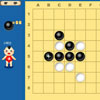 Black and White Othello Game Black and White Othello Game
Plays: 3834
Category: BoardGame Games
Reversi Othello Chinese version. |  Prom Preparation Makeover Game Prom Preparation Makeover Game
Plays: 3833
Category: Dress-Up Games
Emily is now ready to share with you girls the beauty and fashion secrets of a spectacular Prom Preparation Makeover, as she is getting ready for her prom night and she has had lots of practice with making herself look gorgeous. Start the Prom Preparation Makeover with a facial treatment, using cleanser and face masks in lots of colors like white, navy or yellow, with an extra touch of cucumber and rose petals. After your face looks smooth and shinning, continue with the make up and finish with styling your hair and putting on a beautiful princess gown. Check out the amazing colors that Emily has in her make up kit and prove her what a skilled make up artist you are by giving her the best prom make up that she has ever had. From gorgeous eyeshadow and nail polish colors to lovely mascara, blush, eyeliner, glossy lipstick and even eye lenses, you will find all you need for a super hot look. Last but not least, finish the Cinderella prom transformation choosing the prom dress that you fancy the most, the trendiest hair style, purse and jewelries. Enjoy the amazing Prom Preparation Makeover game! |
 black and white Game black and white Game
Plays: 3828
Category: Adventure Games
black and white | 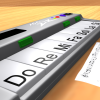 ASD Piano Maestro Compositor Game ASD Piano Maestro Compositor Game
Plays: 3820
Category: Education Games
ESPAÑOL (English bellow)
=======
El ASD Piano es un dispositivo creado por I2 Interactive y vendido ampliamente por todo el mundo. Aqui puedes divertirte jugando con el. Tiene 7 teclas que se corresponden con las 7 notas y puedes tocarlas presionando la tecla correspondiente en tu teclado A-S-D-F-G-H-J
En este juego tiene 3 modos para pasar un buen rato con el ASD Piano TM.
Free Mode: Aqui puedes jugar como quieras, presionando las teclas como desees. Haz click en el boton Back para regresar a la pantalla de titulo.
Memory: Oiras una corta melodia y despues deberas tocarla de nuevo, muchas cortas melodias iran apareciendo y una vez que las toques correctamente puedes enviar tus puntos a la tabla de Hi-Score
Composer: Puedes componer tus propias piezas originales!! y compartirlas con tus amigos, muestra al mundo el talento que tienes!!
En la pantalla del Composer presiona el boton "REC" para empezar a crear tu composicion, toca las teclas como prefieras y sientas de la mejor manera, puedes tocar varias notas a la vez y conseguir increibles resultados. Cuando sientas que esta terminada dale al boton de "STOP" para detener la grabacion. Puedes ajustar la velocidad de la pieza variando el valor dado abajo a la izquierda y tambien puedes añadir una musica de fondo como acompañamiento seleccionandola de la lista de Tunes disponibles de 1 a 6. Puedes tu pieza original dandole a "PLAY", haz click en "STOP" para detenerla en cualquier punto, con la cabeza lectora (flecha verde) parada puedes hacer click en cualquier parte del pentagrama, la cabeza lectora ira alli, tocando cualquier nota ahi modificara esa parte, puedes hacer click en "ERASE PART" para borrar solo esa parte. Si haces click en "ERASE ALL" se borrara toda la composicion asi que ten cuidado, tambien haciendo click en "Back" se borrara toda la composicion asi que salva antes de salir.
Para salvar tu composicion debes hacer click en "SAVE" y luego, en un cuadro blanco situado abajo, haz click con el boton derecho del raton, y en el menu que sale haz click en "Seleccionar todo" luego haz click de nuevo con el boton derecho y selecciona "Copiar" ahora abre tu Bloc de Notas de Windows, ve a "Inicio", luego en "Todos los programas" y despues en "Accesorios", luego haz click en "Bloc de Notas", una vez que se abra, en el menu "Edicion" selecciona "Pegar", luego haz click en "Archivo" y "Guardar" para guardarlo donde quieras.
Para cargar tu pieza o la de tus amigos primero de todo selecciona toda la composicion que tu has recivido (comienza y termina con un numero), luego haz click con el boton derecho en ella y elige "Copiar", luego en el ASD Piano, una vez que estes en el modo Composer, haz click con el boton derecho en el cuadro blanco de abajo y elige "Pegar" luego haz click en el boton "LOAD" y ya puedes hacer click en "PLAY" para escucharla o puedes editarla para añadir tus modificaciones. Puedes tambien hacer click en las canciones prefabricadas "Premade" para cargar una de las 5 melodias disponibles, haciendo esto cargara la cancion entera asi que asegurate de salvar tu composicion antes, mira lo que nuestro talentoso equipo ha hecho y aprende a la vez.
ENGLISH
=============
The ASD Piano is a device made by I2 Interactive and sold widely everywhere. Here you can have fun playing with it. It has 7 keys that correspond to the 7 notes and you can play them by pressing the corresponding keys on your Keyboard A-S-D-F-G-H-J
In this game you have 3 modes to have your fun time with the ASD Piano TM.
Free Mode: Here you can play as you like, pressing the keys as you wish, click the Back button to go to tittle screen.
Memory: You will hear a short melody and then you have to play it again, many short melodies will pop and after succesfully playing them you can submit your score to the Hi-Score table.
Composer: You can compose your own original pieces!! and share with your friends, show the world the talent you have!!
In the composer screen press the "REC" button to start making your composition, play the keys that you wish and feel the best, you can play several keys at the same time and get awesome results. When you feel its finished hit the "STOP" button to finish the recording,
You can adjust your piece speed altering the value given at the bottom left and also you can add a background loop to acompany it selecting from the available tunes from 1 to 6.
You can hear your original piece clicking the "PLAY" button, click "STOP" to halt it at any point, with the playhead stopped you can click on any part of your pentagram, the playhead will go there, and playing any keys there will modify that part, you can click on "ERASE PART" to delete the notes on that part.
If you click "ERASE ALL" the whole piece will be deleted so be careful, also clicking "Back" will delete the piece so save first.
To save it you have to click the "SAVE" button and then, there is a white square at the bottom, right click on it and on the menu click "Select all" then right click again and on the menu click on "Copy" then open your Windows Notepad, go to START then ALL PROGRAMS and then ACCESORIES, then click on Notepad and there select Edit menu and Paste, then click on File and Save to save it anywhere you like.
To load your piece or your friends compositions first of all select the whole composition that you have received (starts and ends with a number), then right click on it and select Copy, then in the ASD Piano, once in the Composer mode right click on the white square at the bottom and select Paste then click on the "LOAD" button and now you can click on "PLAY" to listen to it, or you can edit that to add your own modifications.
You can also click on the premade songs to load them, doing that will load the entire song so be sure to save your work first, see what our talented team has made and learn from there. |
 House Pizza For Obama Game House Pizza For Obama Game
Plays: 3815
Category: Other Games
Ever wanted to cook something special for the president of United States? Well now you can have some fun preparing a tasty pizza for Obama. Don't worry if you don't know any pizza recipe, cause here in this game you will find the instructions and all the ingredients you need to make a very special pizza. Impress all the people from the white house including the president with your cooking skills. |  Light Cubed Game Light Cubed Game
Plays: 3813
Category: Puzzles Games
Light Cubed is a simple, pick-up-and-play game that's easy to learn and difficult to master. Place white blocks on the screen and they fill up the bar at the bottom of the screen. Fill the bar to complete the level. Simple, huh?
Well no. As the levels progress, things begin to get in your way. You'll be able to complete the 12 levels in this short puzzle game fairly easily... but that's only the beginning.
Although simple, there are many exploits and tricks you can use to shave 100ths of a second off your time. Use your uber micro to replace bar-sapping blocker blocks when they're not required. Riskily place white blocks in dangerous levels to get the lead over rivals and their times. Go through all 12 levels at once to score the ultimate prize- the campaign lowest time!
Give this game a quick go and play along to the noisy trance beat. You never know, it could even be fun! |
 Miracle rain Game Miracle rain Game
Plays: 3812
Category: Puzzles Games
Game "Miracle Rain" - the logical game, based on reflections and bilding chains of stouns. Just play it!
Game story:
From heavens the strong rain which has flooded hell has gone. To correct a situation, the lord of hell sends in the sky the plane with the strong soldier. The pilot to win, should go all levels and destroy all palaces of the opponent.
Elements of the game:
Palace - the purpose which is necessary destroy at each level. As soon as all palaces are destroyed, game passes to new level. The palace can be destroyed only the same colour, to what colour fraction they belong. The exception is made by grey palaces, they can be destroyed any colour. For any destroyed palaces give some points.
Stoun - the stouns, one of basic elements of the game . Appear only on empty cells. Are divided on colours: 7 basic colors, black, white and rainbow. Stoun consists of the central part and colour sides (6 sides). The central colour necessarily is present on the sides of the stoun. The quantity of the painted sides at a stoun varies from 3 to 6, any colour cannot repeat in stoun. Stouns destroy in 3 cases:
* after stoun's life time is over (black, white and rainbow life of stouns time three times less usual);
* at the ray hit which colour is absent on a stoun;
* at ray cycle in 4? and less stouns.
Stouns reflect the ray directed on them towards a side corresponding to colour of a ray. For destruction of stouns give score points and other bonuses (for black +2 fuels, white +2 ammo, rainbow +1 to 3 fuel and +2 to 5 ammo).
Generator - produce stouns. The central colour of a stoun depends on colour of the generator. For any destroyed generators give some score points.
Collector - serves for protection of palaces with the same colour. Action radius one cell around it. It is possible to destroy collector any colour which is distinct from colour of a collector.
Towers and walls - serve for protection of palaces and other buildings of sun town. It is possible to destroy it any colour.
Mountains - a decorative element. Stops a ray. It is impossible to destroy.
Clouds - a decorative element. Through clouds passes a ray.
Ports - use for ship dislocation on a map and increase of convenience of shooting.
Ship - unit under player control, use for destroing elements of map with multi-coloured ray. Has resources: fuel and ammo.
Special possibility "Control stouns mode" - turns certain quantity of stouns. It used for facilitating destruction of elements of a map and building long chains of reflections. |  Small White Lymphocyte Game Small White Lymphocyte Game
Plays: 3804
Category: Action Games
It's your job to protect this newly transplanted hearts from any and all germs. |
 Sharky Coloring 3 Game Sharky Coloring 3 Game
Plays: 3800
Category: Other Games
Sharky Coloring 3 is the third installment in the Sharky Coloring series. You get to color another pose featuring the cool great white shark named Sharky. |  Swan Lake - White Dancer Game Swan Lake - White Dancer Game
Plays: 3784
Category: Dress-Up Games
Dress up this beautiful ballet dancer for the Swan Lake show! |
 JustJoin Game JustJoin Game
Plays: 3782
Category: Action Games
Just join all white dots ...
And have fun :) ! |  White Princess Game White Princess Game
Plays: 3765
Category: Dress-Up Games
you can play with your mouse |