| Online Careful Games |
|---|
 Puppy Slacking Game Puppy Slacking Game
 
Plays: 3996
Category: Puzzles Games
Tim the gorgeous puppy wants to enjoy himself and cause a little mischief! Help him do lots of fun activities but be careful not to get caught by his owner! |  Chronotron Game Chronotron Game
Plays: 3982
Category: Puzzles Games
It’s about a robot that goes back in time for some reason. (His best friend is a talking pie!)
Use your time machine to interact with past versions of yourself in this puzzle/platformer!
You can disable the music in the options menu, or by right-clicking.
IF YOU CAN’T SAVE: Right click on the game, select “settings”. Click on the folder, and slide the bar to the right. Flash has a limit to how much data you can store per site, and you guys have been playing too many games on Kong! =P |
 Down Hill Stunts Game Down Hill Stunts Game
Plays: 3975
Category: Driving Games
Play Down Hill Stunts Game. Show your best in driving the bike and in performing the bike stunts in the game. Use the arrow keys to control the bike and make it to the end. Get there as fast as you can and unlock achievements after every level. Collect stars to earn points. Here in the game have limited lives, so be careful in driving and doing stunts. Have a super time super stunts..... |  Boxing Fighting Difference Game Boxing Fighting Difference Game
Plays: 3971
Category: Puzzles Games
Boxing Fighting Difference is an awesome free online find the difference fighting game. In this cool game as in other find the difference games, there are two images with boxers that are fighting in the boxing ring. This two pictures look seemingly the same but they are not the same. So your job is to find the difference on this two pictures. There are totally five differences in one level that you have to find before the given time or the game will be over. If it is too hard to find the differences in the given time you can remove the time and you can play relaxed. To play this game use your mouse, click on the difference when you find one. But you have to be careful because if you click five times on the wrong place the game will be over and you will lose. It is time to show off your find the difference skills. Play this stunning free online fighting game and have a lot of fun every time when you are bored! |
 Color Infection Game Color Infection Game
Plays: 3958
Category: Puzzles Games
By matching adjacent colors, infect the whole color grid! But be careful, you only have a number of moves. |  Fish Catchers Game Fish Catchers Game
Plays: 3948
Category: Action Games
(Español abajo)
Description
========
You have to capture as many fishes as you can. Use your glove for that. Be careful to not capture Bomb Fish without a Metal Glove. Every new fish you capture goes to your Aquarium.
Move yourself with cursors LEFT and RIGHT
Shoot the glove with SPACE BAR
Some very rare especies and decorations for your Aquarium only appear in certain levels, try to get them all!!
You will find items in levels, they work as follows:
CLOCK - Gives you extra time for your mission
ICE CUBE - Freezes time for few seconds, enough for you to catch what you need
SHIELD - Gives you Metal Glove for the level, with this you can capture Bomb Fish
Once you obtain your points submit your score! but dont close the POP-UP Window or your points wont be submitted. Try to be the number one of the World!!
Español
Instrucciones
==========
Tienes que capturar tantos peces como te sea posible. Usa tu guante para conseguirlo. Ten cuidado de no capturar un Pez Bomba sin un Guante de Metal. Cada nuevo pez que captures va a tu Aquarium (Acuario).
Muevete con los cursores IZQUIERDA y DERECHA
Disapara el guante con la BARRA ESPACIADORA
Algunas especies muy raras y decoraciones para tu acuario solo aparecen en algunos niveles, intenta conseguirlos todos!!
En los niveles encontraras algunos items:
RELOJ - Te da extra tiempo para tu mision
CUBO DE HIELO - Congela el tiempo por unos segundos, suficiente para que captures lo que necesitas.
ESCUDO - Te da el Guante de Metal àra ese nivel, con este puedes capturar el Pez Bomba
Una vez que obtengas tus puntos envialos! pero no cierres la ventana emergente que se abrira o tus puntos no seran enviados. Intenta ser el numero uno del Mundo!! |
 US Driving Test Game US Driving Test Game
Plays: 3940
Category: Driving Games
Pass the US Driving test and qualify to drive your
car. Write your test and check your driving skills.
Be careful while driving, you may loose your lives.
Best of Luck! |  Fabulous at Prom Makeover Game Fabulous at Prom Makeover Game
Plays: 3932
Category: Customize Games
It’s the magical night you’ve been waiting for, preparing for, and daydreaming about with your friends. You’re getting ready to be shining! Every single detail has to be perfect, so be very careful with the makeover process! Don’t skip any step and the results will be outstanding: you’re gonna be the one unforgettable girl, the queen of the prom, simply fabulous! |
 Tunnel Syndrome Game Tunnel Syndrome Game
Plays: 3932
Category: Action Games
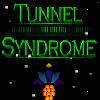
Tunnel Syndrome is a fun, simple game where you control your ship through a mind bending tunnel at blazing fast speeds. Travel as far as you can without hitting the edges, be careful your ship can only sustain so much damage! | 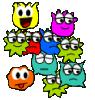 Matching Twinies Game Matching Twinies Game
Plays: 3921
Category: Puzzles Games
Try to make all the twinies dissappear. They will try to follow your commands with the mouse, but you will have to be fast and careful to put the twinies together. |
 Hero Boy Game Hero Boy Game
Plays: 3906
Category: Strategy Games
Jonny is a super hero! Help him finish all of his super hero tasks before his favourite TV show starts! Be careful though, his mom thinks he is tidying his bedroom! | 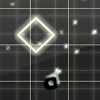 Ye Olde Shooter Game Ye Olde Shooter Game
Plays: 3902
Category: Action Games
An easy to play arena shooter with stylish code generated graphics and a new power up system
You have to survive four bosses and their minions; when you kill smaller enamies you'll collect their souls that will give you more fire power but be careful because the collected sould can be destroyed by enemy fire!
Controls:
Use the ARROW keys to move and ANY other key to shoot |
 The Ultimate Maze Game The Ultimate Maze Game
Plays: 3901
Category: Puzzles Games
A game where you navigate through all 15 levels, but you have to be-careful to not touch the walls! | 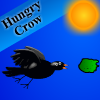 Hungry Crow Game Hungry Crow Game
Plays: 3881
Category: Action Games
A hungry crow is flying before pigeons.help that crow and feed it.but be careful about pee |
 Math Quiz Game Math Quiz Game
Plays: 3879
Category: Education Games
Improve your mathematical skill with Math Quiz.
You should find the one of four computations that has different result. There are 15 quiz to find out but be careful, 2 mistakes are allowed. |  Sweet 16 Party Drive Game Sweet 16 Party Drive Game
Plays: 3872
Category: Customize Games
You just got your driver's license today and after shopping at the mall you need to drive home to get ready for your big Sweet 16 party. Be careful while driving and make sure to avoid the obstacles in the road including the oil spills. Once you are home you can try on all your new outfits, mix and match so you look awesome for tonight's birthday party. There is nothing quite like a sweet 16th birthday so looking your best is important! |
 ASD Piano Maestro Compositor Game ASD Piano Maestro Compositor Game
Plays: 3860
Category: Education Games
ESPAÑOL (English bellow)
=======
El ASD Piano es un dispositivo creado por I2 Interactive y vendido ampliamente por todo el mundo. Aqui puedes divertirte jugando con el. Tiene 7 teclas que se corresponden con las 7 notas y puedes tocarlas presionando la tecla correspondiente en tu teclado A-S-D-F-G-H-J
En este juego tiene 3 modos para pasar un buen rato con el ASD Piano TM.
Free Mode: Aqui puedes jugar como quieras, presionando las teclas como desees. Haz click en el boton Back para regresar a la pantalla de titulo.
Memory: Oiras una corta melodia y despues deberas tocarla de nuevo, muchas cortas melodias iran apareciendo y una vez que las toques correctamente puedes enviar tus puntos a la tabla de Hi-Score
Composer: Puedes componer tus propias piezas originales!! y compartirlas con tus amigos, muestra al mundo el talento que tienes!!
En la pantalla del Composer presiona el boton "REC" para empezar a crear tu composicion, toca las teclas como prefieras y sientas de la mejor manera, puedes tocar varias notas a la vez y conseguir increibles resultados. Cuando sientas que esta terminada dale al boton de "STOP" para detener la grabacion. Puedes ajustar la velocidad de la pieza variando el valor dado abajo a la izquierda y tambien puedes añadir una musica de fondo como acompañamiento seleccionandola de la lista de Tunes disponibles de 1 a 6. Puedes tu pieza original dandole a "PLAY", haz click en "STOP" para detenerla en cualquier punto, con la cabeza lectora (flecha verde) parada puedes hacer click en cualquier parte del pentagrama, la cabeza lectora ira alli, tocando cualquier nota ahi modificara esa parte, puedes hacer click en "ERASE PART" para borrar solo esa parte. Si haces click en "ERASE ALL" se borrara toda la composicion asi que ten cuidado, tambien haciendo click en "Back" se borrara toda la composicion asi que salva antes de salir.
Para salvar tu composicion debes hacer click en "SAVE" y luego, en un cuadro blanco situado abajo, haz click con el boton derecho del raton, y en el menu que sale haz click en "Seleccionar todo" luego haz click de nuevo con el boton derecho y selecciona "Copiar" ahora abre tu Bloc de Notas de Windows, ve a "Inicio", luego en "Todos los programas" y despues en "Accesorios", luego haz click en "Bloc de Notas", una vez que se abra, en el menu "Edicion" selecciona "Pegar", luego haz click en "Archivo" y "Guardar" para guardarlo donde quieras.
Para cargar tu pieza o la de tus amigos primero de todo selecciona toda la composicion que tu has recivido (comienza y termina con un numero), luego haz click con el boton derecho en ella y elige "Copiar", luego en el ASD Piano, una vez que estes en el modo Composer, haz click con el boton derecho en el cuadro blanco de abajo y elige "Pegar" luego haz click en el boton "LOAD" y ya puedes hacer click en "PLAY" para escucharla o puedes editarla para añadir tus modificaciones. Puedes tambien hacer click en las canciones prefabricadas "Premade" para cargar una de las 5 melodias disponibles, haciendo esto cargara la cancion entera asi que asegurate de salvar tu composicion antes, mira lo que nuestro talentoso equipo ha hecho y aprende a la vez.
ENGLISH
=============
The ASD Piano is a device made by I2 Interactive and sold widely everywhere. Here you can have fun playing with it. It has 7 keys that correspond to the 7 notes and you can play them by pressing the corresponding keys on your Keyboard A-S-D-F-G-H-J
In this game you have 3 modes to have your fun time with the ASD Piano TM.
Free Mode: Here you can play as you like, pressing the keys as you wish, click the Back button to go to tittle screen.
Memory: You will hear a short melody and then you have to play it again, many short melodies will pop and after succesfully playing them you can submit your score to the Hi-Score table.
Composer: You can compose your own original pieces!! and share with your friends, show the world the talent you have!!
In the composer screen press the "REC" button to start making your composition, play the keys that you wish and feel the best, you can play several keys at the same time and get awesome results. When you feel its finished hit the "STOP" button to finish the recording,
You can adjust your piece speed altering the value given at the bottom left and also you can add a background loop to acompany it selecting from the available tunes from 1 to 6.
You can hear your original piece clicking the "PLAY" button, click "STOP" to halt it at any point, with the playhead stopped you can click on any part of your pentagram, the playhead will go there, and playing any keys there will modify that part, you can click on "ERASE PART" to delete the notes on that part.
If you click "ERASE ALL" the whole piece will be deleted so be careful, also clicking "Back" will delete the piece so save first.
To save it you have to click the "SAVE" button and then, there is a white square at the bottom, right click on it and on the menu click "Select all" then right click again and on the menu click on "Copy" then open your Windows Notepad, go to START then ALL PROGRAMS and then ACCESORIES, then click on Notepad and there select Edit menu and Paste, then click on File and Save to save it anywhere you like.
To load your piece or your friends compositions first of all select the whole composition that you have received (starts and ends with a number), then right click on it and select Copy, then in the ASD Piano, once in the Composer mode right click on the white square at the bottom and select Paste then click on the "LOAD" button and now you can click on "PLAY" to listen to it, or you can edit that to add your own modifications.
You can also click on the premade songs to load them, doing that will load the entire song so be sure to save your work first, see what our talented team has made and learn from there. |  Awards ka knight Game Awards ka knight Game
Plays: 3856
Category: Other Games
It's raining music for our favorite music man! Help him collect all the music notes and win awards! Oh, and be careful of the competitors though. |
 Catch Em If You Can Game Catch Em If You Can Game
Plays: 3849
Category: Action Games
Catch ‘em if you can is a light-hearted time-management game set on a farm. Spend a day at Farmer Henry’s hen house as he teaches you how to make a fortune managing hens and their eggs! But be careful…the hens are looking at every opportunity to escape! Lose too many hens and you earn Farmer Henry’s wrath! |  The Silence Killer Game The Silence Killer Game
Plays: 3849
Category: Action Games
Use your ninja and stealth skill to help The Silence Ninja eliminate his emery. Be careful, dont let the enemy see you at all cost or they will kill on sign. |