| Online Clicking Games |
|---|
|
 Treasure Island Escape Game Treasure Island Escape Game
 
Plays: 4063
Category: Adventure Games
A short adventure game in which you have to use your point-and-clicking skills to locate items and use those items to help you make your escape from a treasure island. |  Aqua Pop Game Aqua Pop Game
Plays: 4061
Category: Action Games
Set the fish free by clicking the bubbles before they reach the surface! |
 Rain Girl Dress Up Game Rain Girl Dress Up Game
Plays: 4047
Category: Dress-Up Games
Rain is a game for girls to play dress-up game easily. In order to start the game, wait for the completion of the installation. Immediately after the completion of the installation, which will appear by clicking the Start entry after arriving, and the first part of the make-up part of the play dress-up. |  Multiball Game Multiball Game
Plays: 4039
Category: Puzzles Games
Multiball is a mouse clicking, ball spinning game where you have to get the ball to the moving swirl. But if you hit a wall, then you lose points! See how many points you get in the end. |
 Gunslinger: Multiplayer Game Gunslinger: Multiplayer Game
Plays: 4021
Category: Multiplayer Games
Shoot the targets by clicking on them before they fade away.
Only the first person to hit the target will get a point.
The first person to hit the required amount of targets wins the round. Win 3 rounds to become a Jedi!
So, the fastest gunslinger wins.
Good luck! |  Save The Smurfs Game Save The Smurfs Game
Plays: 4009
Category: Puzzles Games
Save The Smurfs is a game powered by Fans!! Help Papa Smurf to rescue all the Smurfs kidnapped by Gargamel. Reach Gargamel's castle and challenge him in multi-level puzzle game. Gargamel will release a Smurf for each level win by Papa Smurf. |
 Chronotron Game Chronotron Game
Plays: 3996
Category: Puzzles Games
It’s about a robot that goes back in time for some reason. (His best friend is a talking pie!)
Use your time machine to interact with past versions of yourself in this puzzle/platformer!
You can disable the music in the options menu, or by right-clicking.
IF YOU CAN’T SAVE: Right click on the game, select “settings”. Click on the folder, and slide the bar to the right. Flash has a limit to how much data you can store per site, and you guys have been playing too many games on Kong! =P |  Click Attack! Game Click Attack! Game
Plays: 3989
Category: Puzzles Games
A fast paced game about clicking. Easy to Learn but impossible to master, How quick can you click.
Play against the clock in normal mode and set a highscore by clearing the chips as quick as you can.
Or play the 100 challenge and clear up to 100 chips as quickly as possible. |
 Pumpkin Master Game Pumpkin Master Game
Plays: 3969
Category: Action Games
Your goal is to turn all gray icons into color ones. Clicking on aicon will toggle iself and adjacent ones. Plan your mover carefully. |  Reverse Wiegleb's Puzzle Game Reverse Wiegleb's Puzzle Game
Plays: 3964
Category: BoardGame Games
Play Wiegleb's Puzzle in reverse! Instead of getting rid of pegs, you have to place them by clicking empty place then clicking on filled place. |
 Tic-Tac-Toe Game Tic-Tac-Toe Game
Plays: 3960
Category: Puzzles Games
Play Tic-Tac-Toe with your computer.
Place an X in any square by clicking the
mouse in that square.
The computer also places an O in another square.
If all your symbols or computer symbols are in
a row, column, or in a diagonal you or computer
win the game. Otherwise it is a tie. |  BlockBuster Game BlockBuster Game
Plays: 3950
Category: Strategy Games
Blockbuster will strain your mouse. Destroy all blocks of which at least three of them are in a row (horizontal or vertical) by clicking on them. You have only got three minutes time to score. There are bombs randomly hidden in the game. Use them to destroy all blocks in the surrounding. |
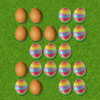 Easter egg painter Game Easter egg painter Game
Plays: 3940
Category: Strategy Games
Paint all eggs. Clicking on an egg will toggle itself and adjacent ones. | 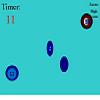 Click the Button Game Click the Button Game
Plays: 3898
Category: Other Games
Click the button is an exciting game where you use your mouse to click the button. Beware of look alike buttons as clicking them will result in the end of the game! |
 Violet Sky Game Violet Sky Game
Plays: 3890
Category: Shooting Games
In this Bubble Shooter game you have to clear every level by shooting balls of the same colour against each other. By clicking and holding the mouse button, you can move the balls after shooting them. | 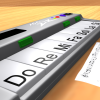 ASD Piano Maestro Compositor Game ASD Piano Maestro Compositor Game
Plays: 3886
Category: Education Games
ESPAÑOL (English bellow)
=======
El ASD Piano es un dispositivo creado por I2 Interactive y vendido ampliamente por todo el mundo. Aqui puedes divertirte jugando con el. Tiene 7 teclas que se corresponden con las 7 notas y puedes tocarlas presionando la tecla correspondiente en tu teclado A-S-D-F-G-H-J
En este juego tiene 3 modos para pasar un buen rato con el ASD Piano TM.
Free Mode: Aqui puedes jugar como quieras, presionando las teclas como desees. Haz click en el boton Back para regresar a la pantalla de titulo.
Memory: Oiras una corta melodia y despues deberas tocarla de nuevo, muchas cortas melodias iran apareciendo y una vez que las toques correctamente puedes enviar tus puntos a la tabla de Hi-Score
Composer: Puedes componer tus propias piezas originales!! y compartirlas con tus amigos, muestra al mundo el talento que tienes!!
En la pantalla del Composer presiona el boton "REC" para empezar a crear tu composicion, toca las teclas como prefieras y sientas de la mejor manera, puedes tocar varias notas a la vez y conseguir increibles resultados. Cuando sientas que esta terminada dale al boton de "STOP" para detener la grabacion. Puedes ajustar la velocidad de la pieza variando el valor dado abajo a la izquierda y tambien puedes añadir una musica de fondo como acompañamiento seleccionandola de la lista de Tunes disponibles de 1 a 6. Puedes tu pieza original dandole a "PLAY", haz click en "STOP" para detenerla en cualquier punto, con la cabeza lectora (flecha verde) parada puedes hacer click en cualquier parte del pentagrama, la cabeza lectora ira alli, tocando cualquier nota ahi modificara esa parte, puedes hacer click en "ERASE PART" para borrar solo esa parte. Si haces click en "ERASE ALL" se borrara toda la composicion asi que ten cuidado, tambien haciendo click en "Back" se borrara toda la composicion asi que salva antes de salir.
Para salvar tu composicion debes hacer click en "SAVE" y luego, en un cuadro blanco situado abajo, haz click con el boton derecho del raton, y en el menu que sale haz click en "Seleccionar todo" luego haz click de nuevo con el boton derecho y selecciona "Copiar" ahora abre tu Bloc de Notas de Windows, ve a "Inicio", luego en "Todos los programas" y despues en "Accesorios", luego haz click en "Bloc de Notas", una vez que se abra, en el menu "Edicion" selecciona "Pegar", luego haz click en "Archivo" y "Guardar" para guardarlo donde quieras.
Para cargar tu pieza o la de tus amigos primero de todo selecciona toda la composicion que tu has recivido (comienza y termina con un numero), luego haz click con el boton derecho en ella y elige "Copiar", luego en el ASD Piano, una vez que estes en el modo Composer, haz click con el boton derecho en el cuadro blanco de abajo y elige "Pegar" luego haz click en el boton "LOAD" y ya puedes hacer click en "PLAY" para escucharla o puedes editarla para añadir tus modificaciones. Puedes tambien hacer click en las canciones prefabricadas "Premade" para cargar una de las 5 melodias disponibles, haciendo esto cargara la cancion entera asi que asegurate de salvar tu composicion antes, mira lo que nuestro talentoso equipo ha hecho y aprende a la vez.
ENGLISH
=============
The ASD Piano is a device made by I2 Interactive and sold widely everywhere. Here you can have fun playing with it. It has 7 keys that correspond to the 7 notes and you can play them by pressing the corresponding keys on your Keyboard A-S-D-F-G-H-J
In this game you have 3 modes to have your fun time with the ASD Piano TM.
Free Mode: Here you can play as you like, pressing the keys as you wish, click the Back button to go to tittle screen.
Memory: You will hear a short melody and then you have to play it again, many short melodies will pop and after succesfully playing them you can submit your score to the Hi-Score table.
Composer: You can compose your own original pieces!! and share with your friends, show the world the talent you have!!
In the composer screen press the "REC" button to start making your composition, play the keys that you wish and feel the best, you can play several keys at the same time and get awesome results. When you feel its finished hit the "STOP" button to finish the recording,
You can adjust your piece speed altering the value given at the bottom left and also you can add a background loop to acompany it selecting from the available tunes from 1 to 6.
You can hear your original piece clicking the "PLAY" button, click "STOP" to halt it at any point, with the playhead stopped you can click on any part of your pentagram, the playhead will go there, and playing any keys there will modify that part, you can click on "ERASE PART" to delete the notes on that part.
If you click "ERASE ALL" the whole piece will be deleted so be careful, also clicking "Back" will delete the piece so save first.
To save it you have to click the "SAVE" button and then, there is a white square at the bottom, right click on it and on the menu click "Select all" then right click again and on the menu click on "Copy" then open your Windows Notepad, go to START then ALL PROGRAMS and then ACCESORIES, then click on Notepad and there select Edit menu and Paste, then click on File and Save to save it anywhere you like.
To load your piece or your friends compositions first of all select the whole composition that you have received (starts and ends with a number), then right click on it and select Copy, then in the ASD Piano, once in the Composer mode right click on the white square at the bottom and select Paste then click on the "LOAD" button and now you can click on "PLAY" to listen to it, or you can edit that to add your own modifications.
You can also click on the premade songs to load them, doing that will load the entire song so be sure to save your work first, see what our talented team has made and learn from there. |
 Cow Abducter Game Cow Abducter Game
Plays: 3875
Category: Action Games
a Clicking game where you collect cows while dodging rocks... | 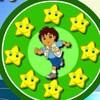 Diego Sound Memory Game Diego Sound Memory Game
Plays: 3839
Category: Other Games
Help Diego to remember the colour sequence by clicking the stars, if you make a mistake you will have to start all over again. Try to get the highest score. |
 tatoo girl Game tatoo girl Game
Plays: 3837
Category: Dress-Up Games
This is basically a flash dress up game just drag the dress to her and finally you choose your background with her favorite dress matching Then you can insert your paper on printer for printing by clicking the print button |  Summer Match Game Summer Match Game
Plays: 3835
Category: Puzzles Games
By clicking on the cards with your mouse, try to match all of the pairs in as few moves as possible! |