| Online Fun Games |
|---|
 ASD Piano Master Composer Game ASD Piano Master Composer Game
 
Plays: 6557
Category: Education Games
ESPAÑOL ABAJO
=============
The ASD Piano is a device made by I2 Interactive and sold widely everywhere. Here you can have fun playing with it. It has 7 keys that correspond to the 7 notes and you can play them by pressing the corresponding keys on your Keyboard A-S-D-F-G-H-J
In this game you have 3 modes to have your fun time with the ASD Piano TM.
Free Mode: Here you can play as you like, pressing the keys as you wish, click the Back button to go to tittle screen.
Memory: You will hear a short melody and then you have to play it again, many short melodies will pop and after succesfully playing them you can submit your score to the Hi-Score table.
Composer: You can compose your own original pieces!! and share with your friends, show the world the talent you have!!
In the composer screen press the "REC" button to start making your composition, play the keys that you wish and feel the best, you can play several keys at the same time and get awesome results. When you feel its finished hit the "STOP" button to finish the recording,
You can adjust your piece speed altering the value given at the bottom left and also you can add a background loop to acompany it selecting from the available tunes from 1 to 6.
You can hear your original piece clicking the "PLAY" button, click "STOP" to halt it at any point, with the playhead stopped you can click on any part of your pentagram, the playhead will go there, and playing any keys there will modify that part, you can click on "ERASE PART" to delete the notes on that part.
If you click "ERASE ALL" the whole piece will be deleted so be careful, also clicking "Back" will delete the piece so save first.
To save it you have to click the "SAVE" button and then, there is a white square at the bottom, right click on it and on the menu click "Select all" then right click again and on the menu click on "Copy" then open your Windows Notepad, go to START then ALL PROGRAMS and then ACCESORIES, then click on Notepad and there select Edit menu and Paste, then click on File and Save to save it anywhere you like.
To load your piece or your friends compositions first of all select the whole composition that you have received (starts and ends with a number), then right click on it and select Copy, then in the ASD Piano, once in the Composer mode right click on the white square at the bottom and select Paste then click on the "LOAD" button and now you can click on "PLAY" to listen to it, or you can edit that to add your own modifications.
You can also click on the premade songs to load them, doing that will load the entire song so be sure to save your work first, see what our talented team has made and learn from there.
ESPAÑOL
=======
El ASD Piano es un dispositivo creado por I2 Interactive y vendido ampliamente por todo el mundo. Aqui puedes divertirte jugando con el. Tiene 7 teclas que se corresponden con las 7 notas y puedes tocarlas presionando la tecla correspondiente en tu teclado A-S-D-F-G-H-J
En este juego tiene 3 modos para pasar un buen rato con el ASD Piano TM.
Free Mode: Aqui puedes jugar como quieras, presionando las teclas como desees. Haz click en el boton Back para regresar a la pantalla de titulo.
Memory: Oiras una corta melodia y despues deberas tocarla de nuevo, muchas cortas melodias iran apareciendo y una vez que las toques correctamente puedes enviar tus puntos a la tabla de Hi-Score
Composer: Puedes componer tus propias piezas originales!! y compartirlas con tus amigos, muestra al mundo el talento que tienes!!
En la pantalla del Composer presiona el boton "REC" para empezar a crear tu composicion, toca las teclas como prefieras y sientas de la mejor manera, puedes tocar varias notas a la vez y conseguir increibles resultados. Cuando sientas que esta terminada dale al boton de "STOP" para detener la grabacion. Puedes ajustar la velocidad de la pieza variando el valor dado abajo a la izquierda y tambien puedes añadir una musica de fondo como acompañamiento seleccionandola de la lista de Tunes disponibles de 1 a 6. Puedes tu pieza original dandole a "PLAY", haz click en "STOP" para detenerla en cualquier punto, con la cabeza lectora (flecha verde) parada puedes hacer click en cualquier parte del pentagrama, la cabeza lectora ira alli, tocando cualquier nota ahi modificara esa parte, puedes hacer click en "ERASE PART" para borrar solo esa parte. Si haces click en "ERASE ALL" se borrara toda la composicion asi que ten cuidado, tambien haciendo click en "Back" se borrara toda la composicion asi que salva antes de salir.
Para salvar tu composicion debes hacer click en "SAVE" y luego, en un cuadro blanco situado abajo, haz click con el boton derecho del raton, y en el menu que sale haz click en "Seleccionar todo" luego haz click de nuevo con el boton derecho y selecciona "Copiar" ahora abre tu Bloc de Notas de Windows, ve a "Inicio", luego en "Todos los programas" y despues en "Accesorios", luego haz click en "Bloc de Notas", una vez que se abra, en el menu "Edicion" selecciona "Pegar", luego haz click en "Archivo" y "Guardar" para guardarlo donde quieras.
Para cargar tu pieza o la de tus amigos primero de todo selecciona toda la composicion que tu has recivido (comienza y termina con un numero), luego haz click con el boton derecho en ella y elige "Copiar", luego en el ASD Piano, una vez que estes en el modo Composer, haz click con el boton derecho en el cuadro blanco de abajo y elige "Pegar" luego haz click en el boton "LOAD" y ya puedes hacer click en "PLAY" para escucharla o puedes editarla para añadir tus modificaciones. Puedes tambien hacer click en las canciones prefabricadas "Premade" para cargar una de las 5 melodias disponibles, haciendo esto cargara la cancion entera asi que asegurate de salvar tu composicion antes, mira lo que nuestro talentoso equipo ha hecho y aprende a la vez. |  Christmas Eve Game Game Christmas Eve Game Game
Plays: 6556
Category: Dress-Up Games
Dress up in holiday fashion on the Eve of Christmas! |
 The Pimps Game The Pimps Game
Plays: 6554
Category: Multiplayer Games
Are you a tough guy? Do you know your neighborhood like the back of your hand? Then off to the Bronx: With The Pimps you show everyone in your district who's the boss.
Rule the streets, pimp up your life!
Choose your district from over 200 US or European cities.
Check out the situation: First you need a hot set of wheels. Which are the right rims?
Pimp up your gang with the most badass revolvers. Lead them into the Fight of Honor.
Weedfarms, coke pushers and your hookers bring the dough home.
Pimp up ya life and look forward to some really tough fights.
Get into the big business. In your urban street game you are right at the top of the ranks!
Who has the broadest shoulders and can deal with anyone who gets in his way? |  Smileys Invasion 3 Speed of Light Game Smileys Invasion 3 Speed of Light Game
Plays: 6553
Category: Puzzles Games
Smileys Invasion goes Speed of Light now. Everything will move very very very fast! |
 Summer Fashion Trend Game Summer Fashion Trend Game
Plays: 6551
Category: Dress-Up Games
This summer fashion trend dress up game is fun and actually helpful to chic girls like you! Give this cute model a makeup and choose a dress for the outside runway show! Have fun with this interesting summer fashion dress up and make up game for girls! |  Porsche 911 Game Porsche 911 Game
Plays: 6546
Category: Puzzles Games
new Porsche 911 puzzle with 12, 24, 48, 64, 81 or 99 pieces. Have fun with this puzzle games |
 Seabed Bubble 3 Game Seabed Bubble 3 Game
Plays: 6546
Category: Action Games
Shoot the bubbles as many as possible before the bubbles are close to the seabed. You can Shoot the bubbles by forming groups of 3 or more of the same color. You must reach the required scores to play the next levels. Move your mouse to aim. Click to shoot. |  Hungry Hungry Square Game Hungry Hungry Square Game
Plays: 6544
Category: Action Games
Simple game. Use the mouse to move the white square.
Collect the green squares and dodge the red squares.
Flashing yellow/blue squares give extra lives and random effects ( speed change ) |
 Kick Ups Game Kick Ups Game
Plays: 6543
Category: Action Games
Getting it up is easy. Keeping it up is the tricky part. But enough about that... The pastime which has enthralled generations of self-proclaimed football show-offs finally comes to doof. Simply keep the ball off the ground from kick-off and try and rack up as many taps as you can to gain the most points! The showing off part comes in when you can prove that you can keep it up the longest! |  Bambi - Hidden Objects Game Bambi - Hidden Objects Game
Plays: 6543
Category: Other Games
Find out the objects displayed below, which are hidded in the image. Find them in short time duration to score more. |
 Star Interview Game Star Interview Game
Plays: 6543
Category: Customize Games
Julianne has become a star overnight much to everyone’s surprise. This is her first interview after becoming a star. Since she is new to stardom she is not familiar with the niceties of a celebrity makeover. She needs you to apply the right kind of make up for this important event. Give her a makeover fit for a celebrity so that she looks her best and is able to charm one and all. Also give her a nice dress to go with her charming makeup. Let her make this interview impressive. | 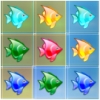 Fish Farm Game Fish Farm Game
Plays: 6537
Category: BoardGame Games
Fish Farm is a challenging match3 game with exiting 16 levels. Each level has a new challenge and great fun. |
 Classic Solitaire Game Classic Solitaire Game
Plays: 6534
Category: Casino Games
A fun game to pass the time and exercise patience. |  Colors Game Colors Game
Plays: 6533
Category: BoardGame Games
You must fill the board with blocks with the same color. |
 Back To School Style Game Back To School Style Game
Plays: 6533
Category: Dress-Up Games
It's the first day back to school. What should this cute girl wear for the first day, casual, cool or punk? Check her wardrobe and pick your favorite clothes! Don't forget to change a hairstyle! Have fun! |  Candy Bag 2: Tricks AND Treats Game Candy Bag 2: Tricks AND Treats Game
Plays: 6530
Category: Action Games
Candy Bag 2: Tricks AND Treats is a simple but addicting halloween game where you collect as much candy as you can in your candy bag before the time runs out. Dodge the bad items to stop them from getting into your bag. Compete on the leaderboards to get the top score! |
 Gunslinger Game Gunslinger Game
Plays: 6530
Category: Action Games
Keep the cans off the ground to show you are better than Billy the kid! |  Premier Football Game Premier Football Game
Plays: 6529
Category: Facebook Games
Want to challenge your friends? Create and manage a football team made up of your Facebook friends. Play matches against friends and represent your team! |
 Trivia Game Trivia Game
Plays: 6527
Category: Education Games
Trivia is an online quiz, which will rediscover your knowledge. Choose your favorite category and start answering the questions. Watch out for the clock. Beat the clock. Be as fast as you can and you will receive a time bonus. If you answer correct to all the questions in this category you will receive bonus points. After you done with this round, you can choose a new one . The old round will become inactive. Your goal is to answer the questions correctly in all categories and to earn maximum points. Finally, the result is stored in the leaderboard. After a topic is played out, you can quit with your current result, which is recorded in the leaderboard. |  turtle break Game turtle break Game
Plays: 6526
Category: Action Games
it's funny game!
I hope you like it!
mission mode is 50 levels!
challenge mode is 99 levels!
the game have 9 items for the fun,
sponsers need add cpmstar,when sponsered!
if you have question email to our team:
[email protected] |