| Online art Games |
|---|
|
 sweet new year 5 Differences Game sweet new year 5 Differences Game
 
Plays: 2532
Category: Puzzles Games
Find the five differences between the two pictures. Good art work, relaxing effect. |  Pixel Painter 2 Game Pixel Painter 2 Game
Plays: 2526
Category: Puzzles Games
Unique puzzle game, where you paint the canvas according to the instructions horizontally and vertically. If you like Sudoku you will enjoy this new challenge! |
 Pixel Boy Rapid Gunner Game Pixel Boy Rapid Gunner Game
Plays: 2514
Category: Dress-Up Games
this is a Serious Game that teach player to learn drawing pixel art.
today's lession : how to draw the pixl boy.
Let's challenges with global players
updated:
1.button sound
2.click effects |  Pixel Animal Maker Game Pixel Animal Maker Game
Plays: 2498
Category: Dress-Up Games
Make your Pixel Animal Easily.
Pixel art is a form of digital art, created through the use of raster graphics software, where images are edited on the pixel level. Graphics in most old (or relatively limited) computer, console, graphing calculator and mobile phone video games are mostly pixel art. |
 Frutilicious Nail Art Game Frutilicious Nail Art Game
Plays: 2497
Category: Customize Games
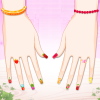
Short or long, round or square, it doesn’t really matter as long as they are fabulous! Yes, girls, nails are such an amazing detail on which we can use our creativity, a detail that can complete our look in style! So let’s get to work! You can now combine your favorite fruits with shining nail polish, all resulting in a delicious-fruitilicious fusion that will capture everyone’s eye, giving you a certain charming “something” and making you just delightful! | 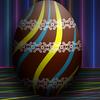 Christmas Egg Art Decoration Game Christmas Egg Art Decoration Game
Plays: 2489
Category: Customize Games
???????? Christmas Egg Art Decoration? ?????,??,?????????????????????,????????? |
 Art and Style Dress Up Game Art and Style Dress Up Game
Plays: 2471
Category: Customize Games
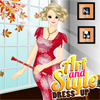
Marry is a talented artist who's admired for her beautiful paintings and also for her unique fashion style. She creates her own original clothes and she dreams about becoming a famous fashion designer. Check out her cool wardrobe and help Marry get dressed in one of those wonderful outfits created by herself. Don't forget to also choose some pretty accessories for her and to change her hairstyle. Enjoy! | 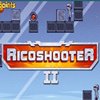 RicoshooteR 2 Game RicoshooteR 2 Game
Plays: 2460
Category: Action Games
Prepare for the exciting battle with alien robots. Kill them all in ricochet style to pass the level. Choose the best place for the shot by moving your character. |
 Muay Thai Game Muay Thai Game
Plays: 2456
Category: Sports Games
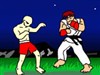
Muay Thai is a really old art of fighting that originates from Thailand. It is sometimes referred to as the science of eight limbs since it includes the use of punches, kicks, knees and elbows. Make your way through the different level by kicking some ass with your deadly and awesome moves! Good Luck! | 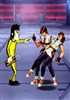 Bruce Lee VS KOF Invincible Version Game Bruce Lee VS KOF Invincible Version Game
Plays: 2455
Category: Puzzles Games
Bruce lee, formerly known as Li Zhenfan, born in 1940 in San Francisco, California, USA, originally from Junan Town, Shunde City, Guangdong Province, China. He is a pioneer for change in the world budo, a martial artist, a martial art philosopher, the UFC creator, the father of MMA, martial arts master, the pioneer of kung fu movies and founder of the Jeet Kune Do, a film actor of Chinese martial arts, the first global promoter of Chinese kung fu, and the first Chinese Hollywood actor. His four and a half films in Hong Kong break many records for 3 times, including "The Way of the Dragon" broke the Asian film's box office record, his "Enter the Dragon" was co-wrote with Hollywood, and grossed $230 million at the worldwide box office. |
 Happy New Year 5 Differences Game Happy New Year 5 Differences Game
Plays: 2454
Category: Puzzles Games
Find the five differences between the two pictures. Good art work, relaxing effect. | 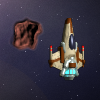 Space Explorer: Asteroids Belt Game Space Explorer: Asteroids Belt Game
Plays: 2429
Category: Action Games
You are in a mission to explore the outer space, but first you must run through asteroids belt. To make it easier, you're packed with state-of-the-art weapons and some time-limited specials: Bombs, Shields, HighSpeed and Double Damage.
Can you get through? |
 Strawberry Christmas 5 Differences Game Strawberry Christmas 5 Differences Game
Plays: 2423
Category: Puzzles Games
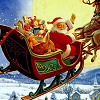
Find the five differences between the two pictures. Good art work, relaxing effect. |  Full of Holes Game Full of Holes Game
Plays: 2419
Category: Other Games
Short game about rain. All graphics were painted in watercolor. |
 Summer Nail Art Game Summer Nail Art Game
Plays: 2409
Category: Dress-Up Games
Have you ever tried Dresses? You would be really gentle, comfortable and stylish in this Dresses for this season.Try out these dresses in this collection then you believe in my words. |  Art Makeup Game Art Makeup Game
Plays: 2408
Category: Customize Games
??? ?? ???? ???? ??? ?? ???? ?? ? ??? ????,? ??? ??? ?? ????.??? ??? ?? ??, ??? ???? ??? ?? ?? ?? ?? ?? ??.?? ?? ???? ? ?? ??? ??? ???? ?????. |
 Magic Christmas 5 Differences Game Magic Christmas 5 Differences Game
Plays: 2389
Category: Puzzles Games
Find the five differences between the two pictures. Good art work, relaxing effect. |  Q Game Q Game
Plays: 2371
Category: Puzzles Games
One little adventure in an unusual atmosphere |
 Snow Christmas 5 Differences Game Snow Christmas 5 Differences Game
Plays: 2358
Category: Puzzles Games
Find the five differences between the two pictures. Good art work, relaxing effect. |  Easter Egg Designer Game Easter Egg Designer Game
Plays: 2352
Category: Customize Games
Showcase your creativity and unleash your aesthetic sense by designing your own Easter egg with a beautiful assortment of patterns, shapes and colors! The game opens with a plain Easter egg on the left of the screen, while the available patterns are located at the top right corner, and different types of shapes are placed below the patterns. To apply a pattern, simply click the left or right arrow button next to the pattern samples. The selected sample will be enlarged and shown in the middle of the five boxes, while the pattern itself will be automatically applied to the Easter egg. You may repeat these steps to modify the pattern. To select a type of shape, click the left and right arrow buttons next to the shape samples. The available shapes of the chosen type will be displayed under the sample boxes, for example, when you have selected the snowflake, three available shapes of snowflake will appear under the sample boxes. Click to select any shape you like, then drag and paste it onto the Easter egg. You may click the shape again to adjust its size by using the scroll wheel on your mouse or the + and - keys on your numpad: scroll up or press the + key to enlarge the shape, and scroll down or press the - key to reduce the size. You may also rotate the shape by pressing the left and right arrow keys on your keyboard. If you no longer wish to apply a shape, you can click to select it, then drag and drop it to the bin on the right of the Easter egg. When you have completed the design, click the "Add some color" button at the bottom right corner to proceed to coloring. You will then be given a palette of 35 colors on the right of the Easter egg. To apply a color, simply use the paint brush to select a color, then move to the desired position on the Easter egg. The area will be circled and enlarged so that you can apply the color easily. Click to paint the color, or choose another color if you wish. You may reapply colors to a certain area, or you can click the topmost arrow button on the left of the screen to undo the previous action. If you would like to clear all colors, simply click the Reset button at the bottom of the palette. You may also click the buttons on the left of the screen to save the image, print the outline, print the image in color, or clear all colors and return to the design page. Click the Finish button at the bottom right corner when you have completed all steps, and a score will be given based on the richness of your design and the time you have spent. Come and participate in the unique celebration of Easter! |