| Online music Games |
|---|
|
 Music Award Night Game Music Award Night Game
 
Plays: 3874
Category: Dress-Up Games
Have you ever tried Music Award Night Dresses? You would be really gentle, comfortable and stylish in this Dresses for this season.
Try out these dresses in this collection then you believe in my words. |  Celebrity Makeover 1 Game Celebrity Makeover 1 Game
Plays: 3869
Category: Customize Games
Destiny Hope Cyrus was nick named “smiley” by her parents because of her beautiful smile on her face and later became Miley Cyrus. This young lady has stolen many hearts by her appearance in Hannah Montana and her music albums is now looking for a new makeup assistant who can also help her in designing clothes and accessories, can you show your skills and become her favorite? |
 D.Slide Game D.Slide Game
Plays: 3863
Category: Puzzles Games
If you like the "15 game ", D. Slide – your choice. The new implementation of a familiar game. The graphics and music will keep you in the atmosphere. | 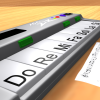 ASD Piano Maestro Compositor Game ASD Piano Maestro Compositor Game
Plays: 3860
Category: Education Games
ESPAÑOL (English bellow)
=======
El ASD Piano es un dispositivo creado por I2 Interactive y vendido ampliamente por todo el mundo. Aqui puedes divertirte jugando con el. Tiene 7 teclas que se corresponden con las 7 notas y puedes tocarlas presionando la tecla correspondiente en tu teclado A-S-D-F-G-H-J
En este juego tiene 3 modos para pasar un buen rato con el ASD Piano TM.
Free Mode: Aqui puedes jugar como quieras, presionando las teclas como desees. Haz click en el boton Back para regresar a la pantalla de titulo.
Memory: Oiras una corta melodia y despues deberas tocarla de nuevo, muchas cortas melodias iran apareciendo y una vez que las toques correctamente puedes enviar tus puntos a la tabla de Hi-Score
Composer: Puedes componer tus propias piezas originales!! y compartirlas con tus amigos, muestra al mundo el talento que tienes!!
En la pantalla del Composer presiona el boton "REC" para empezar a crear tu composicion, toca las teclas como prefieras y sientas de la mejor manera, puedes tocar varias notas a la vez y conseguir increibles resultados. Cuando sientas que esta terminada dale al boton de "STOP" para detener la grabacion. Puedes ajustar la velocidad de la pieza variando el valor dado abajo a la izquierda y tambien puedes añadir una musica de fondo como acompañamiento seleccionandola de la lista de Tunes disponibles de 1 a 6. Puedes tu pieza original dandole a "PLAY", haz click en "STOP" para detenerla en cualquier punto, con la cabeza lectora (flecha verde) parada puedes hacer click en cualquier parte del pentagrama, la cabeza lectora ira alli, tocando cualquier nota ahi modificara esa parte, puedes hacer click en "ERASE PART" para borrar solo esa parte. Si haces click en "ERASE ALL" se borrara toda la composicion asi que ten cuidado, tambien haciendo click en "Back" se borrara toda la composicion asi que salva antes de salir.
Para salvar tu composicion debes hacer click en "SAVE" y luego, en un cuadro blanco situado abajo, haz click con el boton derecho del raton, y en el menu que sale haz click en "Seleccionar todo" luego haz click de nuevo con el boton derecho y selecciona "Copiar" ahora abre tu Bloc de Notas de Windows, ve a "Inicio", luego en "Todos los programas" y despues en "Accesorios", luego haz click en "Bloc de Notas", una vez que se abra, en el menu "Edicion" selecciona "Pegar", luego haz click en "Archivo" y "Guardar" para guardarlo donde quieras.
Para cargar tu pieza o la de tus amigos primero de todo selecciona toda la composicion que tu has recivido (comienza y termina con un numero), luego haz click con el boton derecho en ella y elige "Copiar", luego en el ASD Piano, una vez que estes en el modo Composer, haz click con el boton derecho en el cuadro blanco de abajo y elige "Pegar" luego haz click en el boton "LOAD" y ya puedes hacer click en "PLAY" para escucharla o puedes editarla para añadir tus modificaciones. Puedes tambien hacer click en las canciones prefabricadas "Premade" para cargar una de las 5 melodias disponibles, haciendo esto cargara la cancion entera asi que asegurate de salvar tu composicion antes, mira lo que nuestro talentoso equipo ha hecho y aprende a la vez.
ENGLISH
=============
The ASD Piano is a device made by I2 Interactive and sold widely everywhere. Here you can have fun playing with it. It has 7 keys that correspond to the 7 notes and you can play them by pressing the corresponding keys on your Keyboard A-S-D-F-G-H-J
In this game you have 3 modes to have your fun time with the ASD Piano TM.
Free Mode: Here you can play as you like, pressing the keys as you wish, click the Back button to go to tittle screen.
Memory: You will hear a short melody and then you have to play it again, many short melodies will pop and after succesfully playing them you can submit your score to the Hi-Score table.
Composer: You can compose your own original pieces!! and share with your friends, show the world the talent you have!!
In the composer screen press the "REC" button to start making your composition, play the keys that you wish and feel the best, you can play several keys at the same time and get awesome results. When you feel its finished hit the "STOP" button to finish the recording,
You can adjust your piece speed altering the value given at the bottom left and also you can add a background loop to acompany it selecting from the available tunes from 1 to 6.
You can hear your original piece clicking the "PLAY" button, click "STOP" to halt it at any point, with the playhead stopped you can click on any part of your pentagram, the playhead will go there, and playing any keys there will modify that part, you can click on "ERASE PART" to delete the notes on that part.
If you click "ERASE ALL" the whole piece will be deleted so be careful, also clicking "Back" will delete the piece so save first.
To save it you have to click the "SAVE" button and then, there is a white square at the bottom, right click on it and on the menu click "Select all" then right click again and on the menu click on "Copy" then open your Windows Notepad, go to START then ALL PROGRAMS and then ACCESORIES, then click on Notepad and there select Edit menu and Paste, then click on File and Save to save it anywhere you like.
To load your piece or your friends compositions first of all select the whole composition that you have received (starts and ends with a number), then right click on it and select Copy, then in the ASD Piano, once in the Composer mode right click on the white square at the bottom and select Paste then click on the "LOAD" button and now you can click on "PLAY" to listen to it, or you can edit that to add your own modifications.
You can also click on the premade songs to load them, doing that will load the entire song so be sure to save your work first, see what our talented team has made and learn from there. |
 Awards ka knight Game Awards ka knight Game
Plays: 3856
Category: Other Games
It's raining music for our favorite music man! Help him collect all the music notes and win awards! Oh, and be careful of the competitors though. | 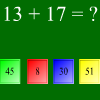 Fast Math Game Fast Math Game
Plays: 3847
Category: Education Games
Solve math problems |
 Underwater Treasures Mahjong Game Underwater Treasures Mahjong Game
Plays: 3847
Category: BoardGame Games
This entertaining game will lead you to mysterious world of the deep waters where mythical Neptune rules everything. Your task is to help Neptune with removing all stones from the game field. Remove stones by connecting 2 same symbols. Click on two stones with same symbol in order to remove them (the connecting line may consist max of two turns) Keep an eye on the timer, and be mindful of your moves! Have fun!
Mahjong is an ancient game that originated in China. It is a game of skill, intelligence, calculation and luck. The aim is to clear up the board of stones. If you like traditional Chinese games, try out this one. We are sure you will love it.
The game main advantages:
- Simple rules;
- Addictive gameplay;
- Impressive quality artstyle;
- Graphics are polished and pleasing to the eyes.
- Melodic music and nice sound effects;
- Cool relaxing game |  Music -1 Game Music -1 Game
Plays: 3840
Category: Dress-Up Games
Music coloring page game |
 Jump 'n Gun Game Jump 'n Gun Game
Plays: 3838
Category: Action Games
A challenging platformer with fine pixelart and nice music.
Jump 'n Gun your way through 6 exciting levels (2 episodes / 18 screens) and to the top of the online highscore!
- MUST be played with 640x480 in a window - |  CubeWars 2 Game CubeWars 2 Game
Plays: 3834
Category: Puzzles Games
It's a sequel of CubeWars game, puzzle/strategy game based on Virus game idea.
Primary objective: Capture as more cubes as possible.
Features:
- 6 different maps
- 7 awards for different achievements
- tutorial
- chill out music and sounds
- bright graphics
- story |
 Freq Fire Game Freq Fire Game
Plays: 3830
Category: Action Games
Can you blast them all while jamming out? |  Memory Challenge Game Memory Challenge Game
Plays: 3830
Category: Puzzles Games
Try to reproduce the melody in the same order as it is shown. Each time, one touch will be added. If you fail, you will go back to the first level. You have three opportunities to do your best before the game is over... |
 Theft Punk Game Theft Punk Game
Plays: 3821
Category: Adventure Games
Theft Punk is a challenging top-down puzzle game spiced with the retro jazzy atmosphere. The main character is a silly little robber on a quest to steal all the diamonds in the city, and by the end of the game he will steal your heart as well. Stick with this charming bad guy to the end of his journey to discover the unexpected twist to his story.
In this easy to pick up, hard to master game you'll find 30 unique levels divided into 5 different locations, each bringing new game features; polished sounds and graphics; smooth jazz music and humorous outro. |  Fashion Party Girl Dress Up Game Fashion Party Girl Dress Up Game
Plays: 3816
Category: Dress-Up Games
It’s a party time, it’s a party era. Dynamic music, crazy people, change your dazzling new clothes, Wave your hands, join a grand party! |
 Canon d - Run Game Canon d - Run Game
Plays: 3807
Category: Other Games
Crush walls to the beat of Pachelbel's Canon |  Crazy Pong Game Crazy Pong Game
Plays: 3804
Category: Action Games
Have a fun time with a cool game of Pong! |
 Happy Green Robot MOBILE Game Happy Green Robot MOBILE Game
Plays: 3803
Category: Action Games
Draw! Draw a way for Happy Green Robot, he must save the princess!
This is a retro story with a unique drawing/physics-based gameplay!
Main features:
* retro art and music
* drawing & physics based gameplay
* 25 exciting levels
* built-in save/load game system
* level passwords system
* built-in tutorial
* exceptional hero (Happy Green Robot!) |  Gig Game Gig Game
Plays: 3801
Category: Adventure Games
Gig: Find a venue for your first gig. Make the right choice. It's important. |
 Vector Stunt Game Vector Stunt Game
Plays: 3801
Category: Driving Games
Do jumps and stunts to your favorite music in this retro-styled 3D game. Vector Stunt lets you load your own mp3s and uses the music to influence gameplay. |  Neon Force Runner Game Neon Force Runner Game
Plays: 3789
Category: Driving Games
Neon Force Runner is a one button game where you control the thrust of a airship flying through the American cities of New York, San Diego, and Miami. Also includes music from the band "dbk". |