Build Free Online Games - Play over 40,000 games online including online games , internet games , flash games , and all your own free games.
  Epic Dog Fighter 2 A Free Online Game
Pumkin A Free Online Game
Pumkin
 A Free Online Game
Invasion of the Balloons  A Free Online Game
Invasion of the Balloons
Epic Dragon Fighter A Free Online Game
Epic Dragon Fighter
Crushy Boys  A Free Online Game
Crushy Boys
Butter Frosting Cupcakes A Free Online Game
Butter Frosting Cupcakes

Online hit. Games
Edge of Glory Game

Plays: 3627
Category: Action Games
There's no Lady Gaga, yet the Edge of Glory is ready to rock your world. Keep the crowd happy by giving them a fantastic fireworks show! Aim the fireworks by moving the mouse. Click to launch the fireworks at the target that matches the fireworks color. Click the mouse again to detonate the fireworks over a target. The closer you detonate the fireworks to the center of the target, the more points you will earn. Each time you hit the same target, its point value will increase. Hit the highlighted target to set off a chain reaction and score tons of points. Hit targets behind clouds by bouncing the fireworks off the sides of the screen and clouds. Meet your goal and keep the audience awake to beat the level.
Zombies Whack Game

Plays: 3626
Category: Action Games
You’re a brave hero and your job is to stop the zombie army by hitting them on their head with a magic weapon given to you by the pumpkin lord. But remember don’t hit a pumpkin by mistake.
Wicked Pig Game

Plays: 3625
Category: Action Games
Hit the wicked pig and save the animals.
The phoenix project Game

Plays: 3616
Category: Action Games
Destroy asteroids to collect minerals. Upgrade your ship to survive 20 wave of enemy ships. Enemy carriers continue to build armored cruisers so shut them down quickly. Warning one hit will kill you. no shields, no armor, no life bar. The good news, your carrier can rebuild you for a price. The more upgraded your ship the more expensive death becomes.
ASD Piano Maestro Compositor Game

Plays: 3614
Category: Education Games
ESPAÑOL (English bellow) ======= El ASD Piano es un dispositivo creado por I2 Interactive y vendido ampliamente por todo el mundo. Aqui puedes divertirte jugando con el. Tiene 7 teclas que se corresponden con las 7 notas y puedes tocarlas presionando la tecla correspondiente en tu teclado A-S-D-F-G-H-J En este juego tiene 3 modos para pasar un buen rato con el ASD Piano TM. Free Mode: Aqui puedes jugar como quieras, presionando las teclas como desees. Haz click en el boton Back para regresar a la pantalla de titulo. Memory: Oiras una corta melodia y despues deberas tocarla de nuevo, muchas cortas melodias iran apareciendo y una vez que las toques correctamente puedes enviar tus puntos a la tabla de Hi-Score Composer: Puedes componer tus propias piezas originales!! y compartirlas con tus amigos, muestra al mundo el talento que tienes!! En la pantalla del Composer presiona el boton "REC" para empezar a crear tu composicion, toca las teclas como prefieras y sientas de la mejor manera, puedes tocar varias notas a la vez y conseguir increibles resultados. Cuando sientas que esta terminada dale al boton de "STOP" para detener la grabacion. Puedes ajustar la velocidad de la pieza variando el valor dado abajo a la izquierda y tambien puedes añadir una musica de fondo como acompañamiento seleccionandola de la lista de Tunes disponibles de 1 a 6. Puedes tu pieza original dandole a "PLAY", haz click en "STOP" para detenerla en cualquier punto, con la cabeza lectora (flecha verde) parada puedes hacer click en cualquier parte del pentagrama, la cabeza lectora ira alli, tocando cualquier nota ahi modificara esa parte, puedes hacer click en "ERASE PART" para borrar solo esa parte. Si haces click en "ERASE ALL" se borrara toda la composicion asi que ten cuidado, tambien haciendo click en "Back" se borrara toda la composicion asi que salva antes de salir. Para salvar tu composicion debes hacer click en "SAVE" y luego, en un cuadro blanco situado abajo, haz click con el boton derecho del raton, y en el menu que sale haz click en "Seleccionar todo" luego haz click de nuevo con el boton derecho y selecciona "Copiar" ahora abre tu Bloc de Notas de Windows, ve a "Inicio", luego en "Todos los programas" y despues en "Accesorios", luego haz click en "Bloc de Notas", una vez que se abra, en el menu "Edicion" selecciona "Pegar", luego haz click en "Archivo" y "Guardar" para guardarlo donde quieras. Para cargar tu pieza o la de tus amigos primero de todo selecciona toda la composicion que tu has recivido (comienza y termina con un numero), luego haz click con el boton derecho en ella y elige "Copiar", luego en el ASD Piano, una vez que estes en el modo Composer, haz click con el boton derecho en el cuadro blanco de abajo y elige "Pegar" luego haz click en el boton "LOAD" y ya puedes hacer click en "PLAY" para escucharla o puedes editarla para añadir tus modificaciones. Puedes tambien hacer click en las canciones prefabricadas "Premade" para cargar una de las 5 melodias disponibles, haciendo esto cargara la cancion entera asi que asegurate de salvar tu composicion antes, mira lo que nuestro talentoso equipo ha hecho y aprende a la vez. ENGLISH ============= The ASD Piano is a device made by I2 Interactive and sold widely everywhere. Here you can have fun playing with it. It has 7 keys that correspond to the 7 notes and you can play them by pressing the corresponding keys on your Keyboard A-S-D-F-G-H-J In this game you have 3 modes to have your fun time with the ASD Piano TM. Free Mode: Here you can play as you like, pressing the keys as you wish, click the Back button to go to tittle screen. Memory: You will hear a short melody and then you have to play it again, many short melodies will pop and after succesfully playing them you can submit your score to the Hi-Score table. Composer: You can compose your own original pieces!! and share with your friends, show the world the talent you have!! In the composer screen press the "REC" button to start making your composition, play the keys that you wish and feel the best, you can play several keys at the same time and get awesome results. When you feel its finished hit the "STOP" button to finish the recording, You can adjust your piece speed altering the value given at the bottom left and also you can add a background loop to acompany it selecting from the available tunes from 1 to 6. You can hear your original piece clicking the "PLAY" button, click "STOP" to halt it at any point, with the playhead stopped you can click on any part of your pentagram, the playhead will go there, and playing any keys there will modify that part, you can click on "ERASE PART" to delete the notes on that part. If you click "ERASE ALL" the whole piece will be deleted so be careful, also clicking "Back" will delete the piece so save first. To save it you have to click the "SAVE" button and then, there is a white square at the bottom, right click on it and on the menu click "Select all" then right click again and on the menu click on "Copy" then open your Windows Notepad, go to START then ALL PROGRAMS and then ACCESORIES, then click on Notepad and there select Edit menu and Paste, then click on File and Save to save it anywhere you like. To load your piece or your friends compositions first of all select the whole composition that you have received (starts and ends with a number), then right click on it and select Copy, then in the ASD Piano, once in the Composer mode right click on the white square at the bottom and select Paste then click on the "LOAD" button and now you can click on "PLAY" to listen to it, or you can edit that to add your own modifications. You can also click on the premade songs to load them, doing that will load the entire song so be sure to save your work first, see what our talented team has made and learn from there.
Pump Shoot Up Game

Plays: 3613
Category: Action Games
Pumpkin is Falling you have to shoot him to keep him up.
Hit for Six Cricket Game

Plays: 3613
Category: Sports Games
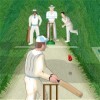
In this tricky game of cricket, your objective is to score as many runs as possible within one over. Ready to step up to the crease?
Simbu Game

Plays: 3610
Category: Action Games
years ago there were only Simbu,You got a chance to play as a Simbu .Play remember sun is your enemy eat to get big eat your self to get some bonus .Even there is bonus food for you try to get all of them ,One hit to head and your game over .
Whack - A - Bomb Game

Plays: 3608
Category: Action Games
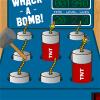
Well, it's just like a good old game of Whack-a-Mole except this time it's TNT. Instructions: Use your Mouse to move around your mallet and Left-Click to whack! You need to whack the top of the TNT before the fuse burns down or you'll lose a life. Be careful not to hit a Nitro as that'll lose a life for you too. You'll get a bonus life at 10,000 points. Controls: Mouse - Navigate Menus / Control Mallet [P] Pause / Resume
Space Game

Plays: 3599
Category: Action Games
Kill as many aliens as possible! dont get hit by one else you lose!
Boom Volleyball Game

Plays: 3599
Category: Sports Games
The aim of this game is to get the bomb on the opposing players floor reducing their boom boom resistance. If you hit the bomb over three times the bomb will blob up on your head. Game over is when you or your opponent have no boom boom resistance left.
Whack-A-Doof Game

Plays: 3599
Category: Action Games
Ever get that feeling where you just want to beat the crap out of anything cute? Yeah, so do we. Dispose of all your day's frustrations in this frenetic and frenzied bash-em-up classic. Don*t be fooled by their delightful little faces, these lowlifes are as annoying as nappy rash. Thump their stupid heads back to where they belong by hitting the corresponding numbers on your keypad.
Stoomboot gemist Game

Plays: 3598
Category: Adventure Games
You have to jump from gift to gift to go from "spain" to "the netherlands". You forgot about the boat from Sint Nicholas . The boat already left and you have to jump as fast as you can to get on the boat again. Watch out for obstacles and catch gingerbread for bonuspoints. Don't hit the snowballs or you will be game over.
FWG Defence Game

Plays: 3598
Category: Shooting Games
Neon lights hit the classic missile defence game. Defend your bases with your funky missile defence system. Shoot enemy ships for bonus points. You will earn more points if you use less missiles in any give level and also if you keep your bases from being damaged. After each wave, use upgrade points to rebuild destroyed bases, add shields to bases, and upgrade missile speed and power. Extra victory points are awarded if you complete the game after level 15. Good luck!
Primitive Survival Game

Plays: 3595
Category: Action Games
Survive from the wolves with your incredible power of rock and boomerang. Don't let them bite you!
FootballTraining Game

Plays: 3593
Category: Shooting Games
Train the footballer, make more experience points(xp). Try to be accurate and hit the target.
Ball Round the Corner Game

Plays: 3589
Category: Action Games
Throw the ball to the hole round the corner.
Parking Mad Game

Plays: 3582
Category: Action Games
Parking your car can be tough at the best of times... never mind trying to manoeuvre a one ton hunk of metal safely around a parking lot into a bay without causing major injury or death to yourself and/or others. All this against a ticking clock. Sound pretty mad? It's completely Parking Mad! Swerve and swivel your set of wheels around this tarmac terrain as quickly as you can into the parking bays at each stage. Careful not to hit anything as just one prang and that motor is out of action.
Space Cleaners Game

Plays: 3574
Category: Puzzles Games
Radio Active particles are falling from the sky! Catch them before they hit the ground. Get your suit on and start cleaning up!
SplodeyMan Game

Plays: 3573
Category: Action Games
SplodeyMan is all about timing. Hit SPACE at just the right to "splode" your character and get maximum points!

<<< Previous Page | 1 | 2 | 3 | 4 | 5 | 6 | 7 | 8 | 9 | 10 | 11 | 12 | 13 | 14 | 15 | 16 | 17 | 18 | 19 | 20 | 21 | 22 | 23 | 24 | 25 | 26 | 27 | 28 | 29 | 30 | 31 | 32 | 33 | 34 | 35 | 36 | 37 | 38 | 39 | 40 | 41 | 42 | 43 | 44 | 45 | 46 | 47 | 48 | 49 | 50 | 51 | 52 | 53 | 54 | 55 | 56 | 57 | 58 | 59 | 60 | 61 | 62 | 63 | 64 | 65 | 66 | 67 | 68 | 69 | 70 | 71 | 72 | 73 | 74 | Next Page >>>

Tips: Setting the opponent movement speed to zero can give you a platform for you to do your own animation instead the opponent graphic. You could make an opponent popup and then hide again using animation instead of the built in movement.