Build Free Online Games - Play over 40,000 games online including online games , internet games , flash games , and all your own free games.
  Keys of Atlantis A Free Online Game
Plants v  the upside down Zombies  A Free Online Game
Plants v the upside down Zombies
DRACHMA vs EURO A Free Online Game
DRACHMA vs EURO
Deep Sea Warrior A Free Online Game
Deep Sea Warrior
Zombie Death Match A Free Online Game
Zombie Death Match
Bugarach 2012 A Free Online Game
Bugarach 2012
pursuit A Free Online Game
pursuit

Online back Games
Kissing Been Outlawed Game

Plays: 3702
Category: Other Games
In the Wild West, there are no laws. Every gun-wielding cowboy and outlaw can make their own versions of the law. But now, the love of this cowgirl and cowboy is going to change the face of the Western world. With love and happiness in their holster, they are taking back the frontier one kiss at a time.
Grasshopper Mom Game

Plays: 3699
Category: Action Games
Grasshopper's children have gone out for playing in the jungle. She needs your help in bringing them back home. Keep the Grasshopper Mom away from the rocks and the ground. Beware of Magical Flowers. Keep the Grasshopper away from its poisonous stings.
Back to School Dress Up Game

Plays: 3689
Category: Customize Games
You have just graded to high school and people are very much new to you, for a beautiful girl like you all it takes is a little stylish look to make new friends. Here are some tips which you can use it to impress the crowd and make them your friends, check out the hair styles and the dressing modes.
Zombie Death Match Game

Plays: 3688
Category: Action Games
Battle other zombies to become the death match champion! You are defending your turf and the other zombies want it. They will do everything they can to get it. Defend it using your trusty zombie leg to beat them back. Watch out for the butcher boss! Build your own games like this on Pulado.com! Make Your Own Games
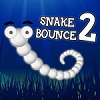
Snake Bounce 2 Game

Plays: 3685
Category: Action Games
Snake Bounce is back! Go for highscores in this nice snake clone game!
Guitar Solo Game

Plays: 3684
Category: Customize Games
This rock goddess is about to belt out an amazing guitar solo, but she's got to look the part before she jumps on an amp and starts rapidly riffing. Make your presence known as your power cords hit the back wall and a mosh pit forms because of your smashing style and wicked solo!
Spot The Dogference Game

Plays: 3683
Category: Puzzles Games
Cutest. Game. Ever. Spot The Dogference is an awesome new online game of spot the difference featuring YOUR dogs! Make sure you concentrate as you scour photos of cute, funny and awesome dogs looking for differences. You need to find all of the differences before time runs out on each level. Play all 3 levels with over a dozen photos and unlock the bonus level. Come back every month for a new volume.
Pearl Diver Game

Plays: 3682
Category: Action Games
Grab your mask and head for the sea bed. Collect as much treasure and pearls as you can and get back to the boat before your air runs out. Watch out for the sharks!
Trail Runner Game

Plays: 3681
Category: Action Games
Trail Runner. A Retro 3D light-cycle game There’s no getting away from it. Trail Runner was inspired by ‘Knot in 3D’, a game written by Malcolm Evans back in 1983 for the ZX Spectrum. Happy Days Use the arrow keys to fly your ship in a wrap-around cube of space. You must avoid all the trails, including your own - the yellow one. Collisions affect your shield, when your shield strength reaches zero, it is game over. Your score increases in proportion to the increase in space density. Or just sit back and watch the demo.
Old Town Texas (Spot the Differences Game) Game

Plays: 3680
Category: Education Games
Welcome to Old Town Texas. Here nothing has changed over the years, it is the way it was, when it was built. Prove the people wrong, observe images from today and back then, find the differences and prove something has changed. Game Features: 5 Fun Filled Levels 6 Achievements to Unlock
Tank defense Game

Plays: 3678
Category: Fighting Games
Stop the invading tanks with your turrets, but watch out! Tanks shoot back in this game!
Penguin Escape Game

Plays: 3677
Category: Puzzles Games
Penguin Chuck was taken to the tropical. But it's too hot there. Please help him get back home. Click three or more consecutive identical blocks to remove them. The penguin will escape from the exit. Have fun!
Memory Challenge Game

Plays: 3674
Category: Puzzles Games
Try to reproduce the melody in the same order as it is shown. Each time, one touch will be added. If you fail, you will go back to the first level. You have three opportunities to do your best before the game is over...
Mountain Differences II Game

Plays: 3673
Category: Puzzles Games
Mountain Differences is back! A challenging spot the differences game that returns to the original's beauty of the majestic Rocky Mountains!
ASD Piano Maestro Compositor Game

Plays: 3671
Category: Education Games
ESPAÑOL (English bellow) ======= El ASD Piano es un dispositivo creado por I2 Interactive y vendido ampliamente por todo el mundo. Aqui puedes divertirte jugando con el. Tiene 7 teclas que se corresponden con las 7 notas y puedes tocarlas presionando la tecla correspondiente en tu teclado A-S-D-F-G-H-J En este juego tiene 3 modos para pasar un buen rato con el ASD Piano TM. Free Mode: Aqui puedes jugar como quieras, presionando las teclas como desees. Haz click en el boton Back para regresar a la pantalla de titulo. Memory: Oiras una corta melodia y despues deberas tocarla de nuevo, muchas cortas melodias iran apareciendo y una vez que las toques correctamente puedes enviar tus puntos a la tabla de Hi-Score Composer: Puedes componer tus propias piezas originales!! y compartirlas con tus amigos, muestra al mundo el talento que tienes!! En la pantalla del Composer presiona el boton "REC" para empezar a crear tu composicion, toca las teclas como prefieras y sientas de la mejor manera, puedes tocar varias notas a la vez y conseguir increibles resultados. Cuando sientas que esta terminada dale al boton de "STOP" para detener la grabacion. Puedes ajustar la velocidad de la pieza variando el valor dado abajo a la izquierda y tambien puedes añadir una musica de fondo como acompañamiento seleccionandola de la lista de Tunes disponibles de 1 a 6. Puedes tu pieza original dandole a "PLAY", haz click en "STOP" para detenerla en cualquier punto, con la cabeza lectora (flecha verde) parada puedes hacer click en cualquier parte del pentagrama, la cabeza lectora ira alli, tocando cualquier nota ahi modificara esa parte, puedes hacer click en "ERASE PART" para borrar solo esa parte. Si haces click en "ERASE ALL" se borrara toda la composicion asi que ten cuidado, tambien haciendo click en "Back" se borrara toda la composicion asi que salva antes de salir. Para salvar tu composicion debes hacer click en "SAVE" y luego, en un cuadro blanco situado abajo, haz click con el boton derecho del raton, y en el menu que sale haz click en "Seleccionar todo" luego haz click de nuevo con el boton derecho y selecciona "Copiar" ahora abre tu Bloc de Notas de Windows, ve a "Inicio", luego en "Todos los programas" y despues en "Accesorios", luego haz click en "Bloc de Notas", una vez que se abra, en el menu "Edicion" selecciona "Pegar", luego haz click en "Archivo" y "Guardar" para guardarlo donde quieras. Para cargar tu pieza o la de tus amigos primero de todo selecciona toda la composicion que tu has recivido (comienza y termina con un numero), luego haz click con el boton derecho en ella y elige "Copiar", luego en el ASD Piano, una vez que estes en el modo Composer, haz click con el boton derecho en el cuadro blanco de abajo y elige "Pegar" luego haz click en el boton "LOAD" y ya puedes hacer click en "PLAY" para escucharla o puedes editarla para añadir tus modificaciones. Puedes tambien hacer click en las canciones prefabricadas "Premade" para cargar una de las 5 melodias disponibles, haciendo esto cargara la cancion entera asi que asegurate de salvar tu composicion antes, mira lo que nuestro talentoso equipo ha hecho y aprende a la vez. ENGLISH ============= The ASD Piano is a device made by I2 Interactive and sold widely everywhere. Here you can have fun playing with it. It has 7 keys that correspond to the 7 notes and you can play them by pressing the corresponding keys on your Keyboard A-S-D-F-G-H-J In this game you have 3 modes to have your fun time with the ASD Piano TM. Free Mode: Here you can play as you like, pressing the keys as you wish, click the Back button to go to tittle screen. Memory: You will hear a short melody and then you have to play it again, many short melodies will pop and after succesfully playing them you can submit your score to the Hi-Score table. Composer: You can compose your own original pieces!! and share with your friends, show the world the talent you have!! In the composer screen press the "REC" button to start making your composition, play the keys that you wish and feel the best, you can play several keys at the same time and get awesome results. When you feel its finished hit the "STOP" button to finish the recording, You can adjust your piece speed altering the value given at the bottom left and also you can add a background loop to acompany it selecting from the available tunes from 1 to 6. You can hear your original piece clicking the "PLAY" button, click "STOP" to halt it at any point, with the playhead stopped you can click on any part of your pentagram, the playhead will go there, and playing any keys there will modify that part, you can click on "ERASE PART" to delete the notes on that part. If you click "ERASE ALL" the whole piece will be deleted so be careful, also clicking "Back" will delete the piece so save first. To save it you have to click the "SAVE" button and then, there is a white square at the bottom, right click on it and on the menu click "Select all" then right click again and on the menu click on "Copy" then open your Windows Notepad, go to START then ALL PROGRAMS and then ACCESORIES, then click on Notepad and there select Edit menu and Paste, then click on File and Save to save it anywhere you like. To load your piece or your friends compositions first of all select the whole composition that you have received (starts and ends with a number), then right click on it and select Copy, then in the ASD Piano, once in the Composer mode right click on the white square at the bottom and select Paste then click on the "LOAD" button and now you can click on "PLAY" to listen to it, or you can edit that to add your own modifications. You can also click on the premade songs to load them, doing that will load the entire song so be sure to save your work first, see what our talented team has made and learn from there.
Summation9 Game

Plays: 3668
Category: Puzzles Games
Choose from nine numbers to add, subtract, multiply or divide to reach the goal in this fun math game. With 50 different problems and achievements to keep you coming back for more.
Oldschool Grand Prix Game

Plays: 3667
Category: Driving Games
There has changed a lot in the racing world through all those years. But now you can get back one more time to the oldschool cars. Drive and try to beat your opponents in this oldschool grand prix.
Zap Defense: Wake of the Undead Game

Plays: 3662
Category: Action Games
Thousands of years have already passed since the Zap generation were wiped off the planet by the humans, however they have woken from the dead and are back for revenge. Fight for your life in this amazing defence game through 20 thrilling levels and three different difficulties. Kill Zaps and earn yourself points to upgrade your weapons and defences, the survival of the planet depends on you!
Combine Ultra Game

Plays: 3662
Category: Puzzles Games
Combine is back with 4 new game modes! Again, your goal is to combine three or more balls of the same color to create a new ball of the next color. Unlock all colors to score more points! The new Quick mode will drop you right in the middle of the game. The Daily Challenge will give you a fixed new challenge every day, to test your skills and strategy against players worldwide! The Freeze mode adds frozen balls, and the Custom mode let's you customize the game, which is a great way to practice new strategies!
Deflector Game

Plays: 3652
Category: Action Games
Defend your space station from the attacking alien horde. You don't have any weapons of your own, but what you do have is a super charged deflector array that can repel enemy missiles. Your objective is to bounce alien missiles back to the alien scum and blow them out of the sky. Timing is the key to successfully deflecting incoming missiles - the deflector cannot protect the whole station at once and loses power quickly needing to be recharged. Watch out for power ups, they can mean the difference between surviving a level and being wiped out! Be prepared, this is a tough game to beat. Goodluck!

<<< Previous Page | 1 | 2 | 3 | 4 | 5 | 6 | 7 | 8 | 9 | 10 | 11 | 12 | 13 | 14 | 15 | 16 | 17 | 18 | 19 | 20 | 21 | 22 | 23 | 24 | 25 | 26 | 27 | 28 | 29 | 30 | 31 | 32 | 33 | 34 | 35 | 36 | 37 | 38 | 39 | 40 | 41 | 42 | 43 | 44 | 45 | 46 | 47 | 48 | 49 | 50 | 51 | 52 | 53 | 54 | 55 | 56 | 57 | 58 | 59 | 60 | 61 | 62 | 63 | 64 | 65 | 66 | 67 | 68 | 69 | 70 | 71 | 72 | 73 | 74 | 75 | 76 | 77 | 78 | 79 | 80 | 81 | 82 | 83 | 84 | 85 | 86 | 87 | 88 | 89 | 90 | 91 | Next Page >>>

Tips: Enemy graphics do not need to move. Movement is taken care of by the engine. Animals and things should walk in place.