| Online free Games |
|---|
 Women and Flowers Game Women and Flowers Game
 
Plays: 6668
Category: Dress-Up Games
Get this dashing young lady the sweet fashion look to celebrate spring\'s arrival with! The lovelier the flowers, the more exquisite she\'ll look! |  Sweet Girl Makeup Challenge Game Sweet Girl Makeup Challenge Game
Plays: 6665
Category: Dress-Up Games
This is a fun makeup challenge game for girls. You can play the Free Mode to give this sweet girl a dramatic makeover. Or you can play the Challenge Mode to test your short-time memory. Enjoy! |
 Construction Academy Game Construction Academy Game
Plays: 6660
Category: Puzzles Games
Free online skill physics balancing building game by Free-Skill-Games.com Build your own construction by placing blocks one by one in such way that the architecture is stable and not shaky. Move your mouse to the top of the screen to take new figure. To rotate the figure click the mouse left button. There are 20 levels with variety of items. |  CD Burner Shooter 2 Game CD Burner Shooter 2 Game
Plays: 6659
Category: Action Games
In this game, shoot as many CDs as you can, and score the highest! Features 10 levels of pure action! Score 15000 or more for victory! |
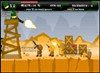 Western Blitzkrieg Game Western Blitzkrieg Game
Plays: 6656
Category: Action Games
A fast 2d action game where you have to infiltrate deep into the enemy lines, in search for the secret rocket installation. defeat helicopters tanks and even take control of a minigun watchtower!
|  Transformers Prestige Game Transformers Prestige Game
Plays: 6647
Category: Dress-Up Games
Guide Transformers robot leader through the Earth's catacombs to acquire energy for an upcoming final battle on Cybertron. |
 snow bros arcade Game snow bros arcade Game
Plays: 6597
Category: Action Games
Snow bros arcade. |  Jack 2 - The Undead Town Game Jack 2 - The Undead Town Game
Plays: 6576
Category: Action Games
Jack 2 - Help Jack reclaim his home town by kill all of those zombies and undead. Whack 'em, shoot 'em or burn 'em, what ever you do, just dont let any still standing. |
 Blockbuster Game Blockbuster Game
Plays: 6570
Category: Driving Games
An exciting puzzle cum mind game where you need to stop the mounting of the coloured blocks |  Beach Win Girl Game Beach Win Girl Game
Plays: 6567
Category: Dress-Up Games
Dress Up Beach Win Girl for free to improve your fashion sense |
 Christmas Eve Game Game Christmas Eve Game Game
Plays: 6566
Category: Dress-Up Games
Dress up in holiday fashion on the Eve of Christmas! | 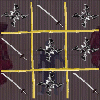 Ninja Tic Tac Toe Game Ninja Tic Tac Toe Game
Plays: 6561
Category: Strategy Games
A ninja themed tic tac toe game. Features 1 player or 2 player modes. |
 ASD Piano Master Composer Game ASD Piano Master Composer Game
Plays: 6557
Category: Education Games
ESPAÑOL ABAJO
=============
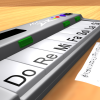
The ASD Piano is a device made by I2 Interactive and sold widely everywhere. Here you can have fun playing with it. It has 7 keys that correspond to the 7 notes and you can play them by pressing the corresponding keys on your Keyboard A-S-D-F-G-H-J
In this game you have 3 modes to have your fun time with the ASD Piano TM.
Free Mode: Here you can play as you like, pressing the keys as you wish, click the Back button to go to tittle screen.
Memory: You will hear a short melody and then you have to play it again, many short melodies will pop and after succesfully playing them you can submit your score to the Hi-Score table.
Composer: You can compose your own original pieces!! and share with your friends, show the world the talent you have!!
In the composer screen press the "REC" button to start making your composition, play the keys that you wish and feel the best, you can play several keys at the same time and get awesome results. When you feel its finished hit the "STOP" button to finish the recording,
You can adjust your piece speed altering the value given at the bottom left and also you can add a background loop to acompany it selecting from the available tunes from 1 to 6.
You can hear your original piece clicking the "PLAY" button, click "STOP" to halt it at any point, with the playhead stopped you can click on any part of your pentagram, the playhead will go there, and playing any keys there will modify that part, you can click on "ERASE PART" to delete the notes on that part.
If you click "ERASE ALL" the whole piece will be deleted so be careful, also clicking "Back" will delete the piece so save first.
To save it you have to click the "SAVE" button and then, there is a white square at the bottom, right click on it and on the menu click "Select all" then right click again and on the menu click on "Copy" then open your Windows Notepad, go to START then ALL PROGRAMS and then ACCESORIES, then click on Notepad and there select Edit menu and Paste, then click on File and Save to save it anywhere you like.
To load your piece or your friends compositions first of all select the whole composition that you have received (starts and ends with a number), then right click on it and select Copy, then in the ASD Piano, once in the Composer mode right click on the white square at the bottom and select Paste then click on the "LOAD" button and now you can click on "PLAY" to listen to it, or you can edit that to add your own modifications.
You can also click on the premade songs to load them, doing that will load the entire song so be sure to save your work first, see what our talented team has made and learn from there.
ESPAÑOL
=======
El ASD Piano es un dispositivo creado por I2 Interactive y vendido ampliamente por todo el mundo. Aqui puedes divertirte jugando con el. Tiene 7 teclas que se corresponden con las 7 notas y puedes tocarlas presionando la tecla correspondiente en tu teclado A-S-D-F-G-H-J
En este juego tiene 3 modos para pasar un buen rato con el ASD Piano TM.
Free Mode: Aqui puedes jugar como quieras, presionando las teclas como desees. Haz click en el boton Back para regresar a la pantalla de titulo.
Memory: Oiras una corta melodia y despues deberas tocarla de nuevo, muchas cortas melodias iran apareciendo y una vez que las toques correctamente puedes enviar tus puntos a la tabla de Hi-Score
Composer: Puedes componer tus propias piezas originales!! y compartirlas con tus amigos, muestra al mundo el talento que tienes!!
En la pantalla del Composer presiona el boton "REC" para empezar a crear tu composicion, toca las teclas como prefieras y sientas de la mejor manera, puedes tocar varias notas a la vez y conseguir increibles resultados. Cuando sientas que esta terminada dale al boton de "STOP" para detener la grabacion. Puedes ajustar la velocidad de la pieza variando el valor dado abajo a la izquierda y tambien puedes añadir una musica de fondo como acompañamiento seleccionandola de la lista de Tunes disponibles de 1 a 6. Puedes tu pieza original dandole a "PLAY", haz click en "STOP" para detenerla en cualquier punto, con la cabeza lectora (flecha verde) parada puedes hacer click en cualquier parte del pentagrama, la cabeza lectora ira alli, tocando cualquier nota ahi modificara esa parte, puedes hacer click en "ERASE PART" para borrar solo esa parte. Si haces click en "ERASE ALL" se borrara toda la composicion asi que ten cuidado, tambien haciendo click en "Back" se borrara toda la composicion asi que salva antes de salir.
Para salvar tu composicion debes hacer click en "SAVE" y luego, en un cuadro blanco situado abajo, haz click con el boton derecho del raton, y en el menu que sale haz click en "Seleccionar todo" luego haz click de nuevo con el boton derecho y selecciona "Copiar" ahora abre tu Bloc de Notas de Windows, ve a "Inicio", luego en "Todos los programas" y despues en "Accesorios", luego haz click en "Bloc de Notas", una vez que se abra, en el menu "Edicion" selecciona "Pegar", luego haz click en "Archivo" y "Guardar" para guardarlo donde quieras.
Para cargar tu pieza o la de tus amigos primero de todo selecciona toda la composicion que tu has recivido (comienza y termina con un numero), luego haz click con el boton derecho en ella y elige "Copiar", luego en el ASD Piano, una vez que estes en el modo Composer, haz click con el boton derecho en el cuadro blanco de abajo y elige "Pegar" luego haz click en el boton "LOAD" y ya puedes hacer click en "PLAY" para escucharla o puedes editarla para añadir tus modificaciones. Puedes tambien hacer click en las canciones prefabricadas "Premade" para cargar una de las 5 melodias disponibles, haciendo esto cargara la cancion entera asi que asegurate de salvar tu composicion antes, mira lo que nuestro talentoso equipo ha hecho y aprende a la vez. | 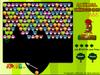 Animal Kingdom Game Animal Kingdom Game
Plays: 6555
Category: Adventure Games
Frogs, cubs, monkeys and teddies are all here to provide u a full round of entertainment! Can u aim well, group them and blast 'em off to their cribs? |
 PacBubbleMan Game PacBubbleMan Game
Plays: 6550
Category: Action Games
Pacman Like
with Arrows Key and Bombs ! | 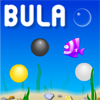 Bula Game Game Bula Game Game
Plays: 6549
Category: Action Games
BULA, bubble collecting game. Avoid falling black pearls and wondering fishes. Collect gold and white pearls to protect the BULA. |
 Star Interview Game Star Interview Game
Plays: 6545
Category: Customize Games
Julianne has become a star overnight much to everyone’s surprise. This is her first interview after becoming a star. Since she is new to stardom she is not familiar with the niceties of a celebrity makeover. She needs you to apply the right kind of make up for this important event. Give her a makeover fit for a celebrity so that she looks her best and is able to charm one and all. Also give her a nice dress to go with her charming makeup. Let her make this interview impressive. |  Kick Ups Game Kick Ups Game
Plays: 6543
Category: Action Games
Getting it up is easy. Keeping it up is the tricky part. But enough about that... The pastime which has enthralled generations of self-proclaimed football show-offs finally comes to doof. Simply keep the ball off the ground from kick-off and try and rack up as many taps as you can to gain the most points! The showing off part comes in when you can prove that you can keep it up the longest! |
 Funny Cars Game Funny Cars Game
Plays: 6542
Category: Driving Games
Funny Cars Description :
Park your car at the right place. The machine is controlled by the cursor keys.
Free place for your car to leave the parking. Move with the arrow keys and pushes prevent machine |  Trivia Game Trivia Game
Plays: 6528
Category: Education Games
Trivia is an online quiz, which will rediscover your knowledge. Choose your favorite category and start answering the questions. Watch out for the clock. Beat the clock. Be as fast as you can and you will receive a time bonus. If you answer correct to all the questions in this category you will receive bonus points. After you done with this round, you can choose a new one . The old round will become inactive. Your goal is to answer the questions correctly in all categories and to earn maximum points. Finally, the result is stored in the leaderboard. After a topic is played out, you can quit with your current result, which is recorded in the leaderboard. |