| Online coloring Games |
|---|
|
 Space navigation coloring Game Space navigation coloring Game
 
Plays: 2373
Category: Customize Games
Space navigation coloring Game. |  Flying Fairy Coloring Game Flying Fairy Coloring Game
Plays: 2371
Category: Customize Games
Flying Fairy Coloring |
 Old aircraft coloring Game Old aircraft coloring Game
Plays: 2370
Category: Customize Games
Old aircraft coloring Game. |  Two cute alien coloring Game Two cute alien coloring Game
Plays: 2370
Category: Customize Games
Two cute alien coloring Game. |
 School kid coloring Game School kid coloring Game
Plays: 2369
Category: Customize Games
School kid coloring painting game. |  Old western plane coloring Game Old western plane coloring Game
Plays: 2363
Category: Customize Games
Old western plane coloring Game. |
 Fast mountain jeep coloring Game Fast mountain jeep coloring Game
Plays: 2362
Category: Customize Games
Fast mountain jeep coloring Game. |  Dinosaur and alien coloring Game Dinosaur and alien coloring Game
Plays: 2361
Category: Customize Games
Dinosaur and alien coloring Game. |
 Perfect car coloring Game Perfect car coloring Game
Plays: 2361
Category: Customize Games
Perfect car coloring Game. |  Gabby at the prom coloring Game Gabby at the prom coloring Game
Plays: 2358
Category: Customize Games
Gabby at the prom coloring Game. |
 Hunter and little dog coloring Game Hunter and little dog coloring Game
Plays: 2356
Category: Customize Games
Hunter and little dog coloring Game. |  Bright green car coloring Game Bright green car coloring Game
Plays: 2356
Category: Customize Games
Bright green car coloring Game. |
 Yellow major car coloring Game Yellow major car coloring Game
Plays: 2355
Category: Customize Games
Yellow major car coloring Game. |  Pink old car coloring Game Pink old car coloring Game
Plays: 2355
Category: Customize Games
Pink old car coloring Game. |
 Fish Coloring Games 2 Game Fish Coloring Games 2 Game
Plays: 2355
Category: Customize Games
Fish Coloring Games 2 |  Big adorable car coloring Game Big adorable car coloring Game
Plays: 2354
Category: Customize Games
Big adorable car coloring Game. |
 Amazing Ship coloring Game Amazing Ship coloring Game
Plays: 2353
Category: Customize Games
Amazing Ship coloring Game. |  Nice sports car coloring Game Nice sports car coloring Game
Plays: 2353
Category: Customize Games
Nice sports car coloring Game. |
 Black racing car coloring Game Black racing car coloring Game
Plays: 2352
Category: Customize Games
Black racing car coloring Game. | 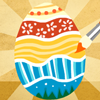 Easter Egg Designer Game Easter Egg Designer Game
Plays: 2352
Category: Customize Games
Showcase your creativity and unleash your aesthetic sense by designing your own Easter egg with a beautiful assortment of patterns, shapes and colors! The game opens with a plain Easter egg on the left of the screen, while the available patterns are located at the top right corner, and different types of shapes are placed below the patterns. To apply a pattern, simply click the left or right arrow button next to the pattern samples. The selected sample will be enlarged and shown in the middle of the five boxes, while the pattern itself will be automatically applied to the Easter egg. You may repeat these steps to modify the pattern. To select a type of shape, click the left and right arrow buttons next to the shape samples. The available shapes of the chosen type will be displayed under the sample boxes, for example, when you have selected the snowflake, three available shapes of snowflake will appear under the sample boxes. Click to select any shape you like, then drag and paste it onto the Easter egg. You may click the shape again to adjust its size by using the scroll wheel on your mouse or the + and - keys on your numpad: scroll up or press the + key to enlarge the shape, and scroll down or press the - key to reduce the size. You may also rotate the shape by pressing the left and right arrow keys on your keyboard. If you no longer wish to apply a shape, you can click to select it, then drag and drop it to the bin on the right of the Easter egg. When you have completed the design, click the "Add some color" button at the bottom right corner to proceed to coloring. You will then be given a palette of 35 colors on the right of the Easter egg. To apply a color, simply use the paint brush to select a color, then move to the desired position on the Easter egg. The area will be circled and enlarged so that you can apply the color easily. Click to paint the color, or choose another color if you wish. You may reapply colors to a certain area, or you can click the topmost arrow button on the left of the screen to undo the previous action. If you would like to clear all colors, simply click the Reset button at the bottom of the palette. You may also click the buttons on the left of the screen to save the image, print the outline, print the image in color, or clear all colors and return to the design page. Click the Finish button at the bottom right corner when you have completed all steps, and a score will be given based on the richness of your design and the time you have spent. Come and participate in the unique celebration of Easter! |