Build Free Online Games - Play over 40,000 games online including online games , internet games , flash games , and all your own free games.
  Kid Chaos A Free Online Game
Fupa Space Blast A Free Online Game
Fupa Space Blast
Equestrian A Free Online Game
Equestrian
Llama Collector A Free Online Game
Llama Collector
Dollar vs Euro A Free Online Game
Dollar vs Euro
Harvest King A Free Online Game
Harvest King
defeat death A Free Online Game
defeat death

Online square. Games
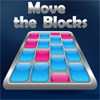
Move the Blocks Game

Plays: 3940
Category: BoardGame Games
This is an easy mind game inspired from rubic cube. There are 13 levels to complete.
Avoid the square Game

Plays: 3938
Category: Action Games
Vous êtes le carré vert, évitez les autres carrés et ne touchez pas les parrois
Yummy Yummy Bonanza Game

Plays: 3936
Category: Other Games
With your temporary vendor permit you are allowed to run your snack stand for 12 days at town square! Run your business by selling burgers, hot dog and more. your objective is to beat the target goals in each level to earn enough money for buying your own grand restaurant in downtown.
Square Madness 2: Complete Madness Game

Plays: 3925
Category: Action Games
Move the black square using your mouse and collect all the other black squares while avoiding the red ones.
Crossword Game Play 3 Game

Plays: 3916
Category: Puzzles Games
Read the hints then find out the invention and type your answer in the square.
Square friends Game

Plays: 3896
Category: Puzzles Games
Though, someone may like solitude but sometime such time occurs when you need to talk to someone. Even, if you are a square. In «Square friends» flash game you just need to help a small blue square to find it different color friends. It is so in a hurry that only walls can stop him so the exit from labyrinth, where it is looking for friends, gets rather tricky.
Feed Starvy the monster Game

Plays: 3869
Category: BoardGame Games
Click on the fruit, than click on the empty spot in order to move it. Form a 2x2 square of the same kind of fruit. Make combos to get more points and power-ups. Combine ice cream with any fruit. Spoon clears all around it. Use fork to clear a column and a row.
Trilogic Game

Plays: 3866
Category: Puzzles Games
You can choose 3 playmodes in this interactive game and start immediately any of them. Each modes have 10 levels, so dig in and complete all of them to prove that you are one smart guy! Your progress will be saved!
Egad Game

Plays: 3862
Category: Puzzles Games
Use the gaps! Be wary of your pulsating square. It may just be your undoing. EGAD! It's getting faster! The bars do slow down... but then speed up again.
Classic Sudoku Game

Plays: 3849
Category: Puzzles Games
Classic Sudoku is an exciting and entertaining sudoku game where you have to solve number puzzles by filling the empty places of a puzzle with the missing numbers. Every row must contain one of each number. So must every column, as must every 3x3 square. Classic Sudoku contains 3 different difficulty levels and 100 unique puzzles.
Square Attack! Game

Plays: 3845
Category: Other Games
Yellow squares are invading! Destroy them before it's too late!
Square Survival Game

Plays: 3830
Category: Action Games
How long can your square survive? Get the pink circles to get points and grow your square, but avoid the yellow mines.
Tic-Tac-Toe Game

Plays: 3826
Category: Puzzles Games
Play Tic-Tac-Toe with your computer. Place an X in any square by clicking the mouse in that square. The computer also places an O in another square. If all your symbols or computer symbols are in a row, column, or in a diagonal you or computer win the game. Otherwise it is a tie.
Pirate Encounters Game

Plays: 3795
Category: Strategy Games
Yar Har Har mighty pirates! Challange your mates on an epic treasure hunt and locate the most chests full of wealth and be THE pirate! Let's sail! Yar Har Har!
Square Adventure Part 1 Game

Plays: 3777
Category: Action Games
Get the underwater keys and kill the sharks! Once the ocean was a peaceful place to be, but the evil killer sharks have taking over. Your job is to kill them and collect the keys to all the wonders of the ocean. Game has integrated mochi.com highscore.
SoloTest Game Game

Plays: 3777
Category: BoardGame Games
Rules are quite simple. You have a desk in the shape of cross. Each wing of the cross is made from square with three lines of pawns and there is a hole in the middle of the cross. For a better image just look at the picture. If you jump with a pawn over another pawn, the cross-jumped pawn will disappear. You can jump only horizontally and vertically, not diagonally. Your task is to remove all pawns and to end with the last pawn in the middle of the cross.
CalcuDoku Light Vol 1 Game

Plays: 3760
Category: BoardGame Games
The object is to fill all empty squares so that the numbers 1 to N (where N is the number of rows or columns in the grid) appear exactly once in each row and column. In addition, the numbers in each block should produce the result shown in the top-left corner of the block according to the math operation appearing on the top of the grid. In CalcuDoku a number may be used more than once in the same block. There is only one unique solution for each puzzle.
Shape Assault Game

Plays: 3757
Category: Other Games
A game where you must defend yourself from the oncoming waves of shapes.
Just Another Avoiding Game Game

Plays: 3750
Category: Action Games
It’s an easy game where what you have to do is avoid the circles in each stage and get to the finish. There are 10 levels, and a second mode of game if you can beat the first one!
ASD Piano Maestro Compositor Game

Plays: 3720
Category: Education Games
ESPAÑOL (English bellow) ======= El ASD Piano es un dispositivo creado por I2 Interactive y vendido ampliamente por todo el mundo. Aqui puedes divertirte jugando con el. Tiene 7 teclas que se corresponden con las 7 notas y puedes tocarlas presionando la tecla correspondiente en tu teclado A-S-D-F-G-H-J En este juego tiene 3 modos para pasar un buen rato con el ASD Piano TM. Free Mode: Aqui puedes jugar como quieras, presionando las teclas como desees. Haz click en el boton Back para regresar a la pantalla de titulo. Memory: Oiras una corta melodia y despues deberas tocarla de nuevo, muchas cortas melodias iran apareciendo y una vez que las toques correctamente puedes enviar tus puntos a la tabla de Hi-Score Composer: Puedes componer tus propias piezas originales!! y compartirlas con tus amigos, muestra al mundo el talento que tienes!! En la pantalla del Composer presiona el boton "REC" para empezar a crear tu composicion, toca las teclas como prefieras y sientas de la mejor manera, puedes tocar varias notas a la vez y conseguir increibles resultados. Cuando sientas que esta terminada dale al boton de "STOP" para detener la grabacion. Puedes ajustar la velocidad de la pieza variando el valor dado abajo a la izquierda y tambien puedes añadir una musica de fondo como acompañamiento seleccionandola de la lista de Tunes disponibles de 1 a 6. Puedes tu pieza original dandole a "PLAY", haz click en "STOP" para detenerla en cualquier punto, con la cabeza lectora (flecha verde) parada puedes hacer click en cualquier parte del pentagrama, la cabeza lectora ira alli, tocando cualquier nota ahi modificara esa parte, puedes hacer click en "ERASE PART" para borrar solo esa parte. Si haces click en "ERASE ALL" se borrara toda la composicion asi que ten cuidado, tambien haciendo click en "Back" se borrara toda la composicion asi que salva antes de salir. Para salvar tu composicion debes hacer click en "SAVE" y luego, en un cuadro blanco situado abajo, haz click con el boton derecho del raton, y en el menu que sale haz click en "Seleccionar todo" luego haz click de nuevo con el boton derecho y selecciona "Copiar" ahora abre tu Bloc de Notas de Windows, ve a "Inicio", luego en "Todos los programas" y despues en "Accesorios", luego haz click en "Bloc de Notas", una vez que se abra, en el menu "Edicion" selecciona "Pegar", luego haz click en "Archivo" y "Guardar" para guardarlo donde quieras. Para cargar tu pieza o la de tus amigos primero de todo selecciona toda la composicion que tu has recivido (comienza y termina con un numero), luego haz click con el boton derecho en ella y elige "Copiar", luego en el ASD Piano, una vez que estes en el modo Composer, haz click con el boton derecho en el cuadro blanco de abajo y elige "Pegar" luego haz click en el boton "LOAD" y ya puedes hacer click en "PLAY" para escucharla o puedes editarla para añadir tus modificaciones. Puedes tambien hacer click en las canciones prefabricadas "Premade" para cargar una de las 5 melodias disponibles, haciendo esto cargara la cancion entera asi que asegurate de salvar tu composicion antes, mira lo que nuestro talentoso equipo ha hecho y aprende a la vez. ENGLISH ============= The ASD Piano is a device made by I2 Interactive and sold widely everywhere. Here you can have fun playing with it. It has 7 keys that correspond to the 7 notes and you can play them by pressing the corresponding keys on your Keyboard A-S-D-F-G-H-J In this game you have 3 modes to have your fun time with the ASD Piano TM. Free Mode: Here you can play as you like, pressing the keys as you wish, click the Back button to go to tittle screen. Memory: You will hear a short melody and then you have to play it again, many short melodies will pop and after succesfully playing them you can submit your score to the Hi-Score table. Composer: You can compose your own original pieces!! and share with your friends, show the world the talent you have!! In the composer screen press the "REC" button to start making your composition, play the keys that you wish and feel the best, you can play several keys at the same time and get awesome results. When you feel its finished hit the "STOP" button to finish the recording, You can adjust your piece speed altering the value given at the bottom left and also you can add a background loop to acompany it selecting from the available tunes from 1 to 6. You can hear your original piece clicking the "PLAY" button, click "STOP" to halt it at any point, with the playhead stopped you can click on any part of your pentagram, the playhead will go there, and playing any keys there will modify that part, you can click on "ERASE PART" to delete the notes on that part. If you click "ERASE ALL" the whole piece will be deleted so be careful, also clicking "Back" will delete the piece so save first. To save it you have to click the "SAVE" button and then, there is a white square at the bottom, right click on it and on the menu click "Select all" then right click again and on the menu click on "Copy" then open your Windows Notepad, go to START then ALL PROGRAMS and then ACCESORIES, then click on Notepad and there select Edit menu and Paste, then click on File and Save to save it anywhere you like. To load your piece or your friends compositions first of all select the whole composition that you have received (starts and ends with a number), then right click on it and select Copy, then in the ASD Piano, once in the Composer mode right click on the white square at the bottom and select Paste then click on the "LOAD" button and now you can click on "PLAY" to listen to it, or you can edit that to add your own modifications. You can also click on the premade songs to load them, doing that will load the entire song so be sure to save your work first, see what our talented team has made and learn from there.

<<< Previous Page | 1 | 2 | 3 | 4 | 5 | 6 | 7 | 8 | 9 | 10 | 11 | 12 | 13 | 14 | 15 | 16 | 17 | 18 | 19 | Next Page >>>

Tips: Enemy graphics do not need to move. Movement is taken care of by the engine. Animals and things should walk in place.