| Online Score Games |
|---|
 Spider man city drive Game Spider man city drive Game
 
Plays: 3888
Category: Driving Games
Ride your favorite Spider man in city. Collect his spider gadgets to score high points. Drive carefully to avoid fall.Have Fun!
|  Fluffy Bird Game Fluffy Bird Game
Plays: 3887
Category: Action Games
Enter the amazingly fun challenge of the Fluffy Bird and help him fly away to the sunny lands. This wacky creature is super clumsy and you need to help him reach he’s destinations as soon as possible. Make sure you avoid all the obstacles in order to keep him safe and sound make the highest score. become the ultimate Fluffy Bird “pilot” and challenge your friends to see who has the best concentration and technique, in this funny adventure. Flap your way into having a blast! |
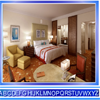 Modern Bed Room Find the Alphabets Game Modern Bed Room Find the Alphabets Game
Plays: 3886
Category: Puzzles Games
Analyze your power of observation by finding out the numbers. For each accurate click, score will get increased and for wrong click, score will get reduced. |  Snake vs Man Game Snake vs Man Game
Plays: 3886
Category: Action Games
Snake vs Man is a unique take on snake. Use your mouse to help Man get his food before the Snake does! And remember you're losing health being idle! MAN IS HUNGRY!! |
 Scary Dogs Game Scary Dogs Game
Plays: 3885
Category: Other Games
Panicked man is escaping from dog sounds by running and making the best timing. |  Apache Attack 2009 Game Apache Attack 2009 Game
Plays: 3883
Category: Action Games
Dodge enemy fire, and destroy enemy tanks and ships to score points. Shoot the oil barrels to decrease your damage. Use the arrow keys or WASD to move and the space bar to fire. |
 Santa Messy Room Game Santa Messy Room Game
Plays: 3880
Category: Puzzles Games
Santa Messy Room is another point and click hidden object game from Games2rule. Santa room is so messy. It’s our time clean up Santa room. Leave Christmas related objects and remove other objects to make Santa room clean. You can find up to 5 hidden objects using hint options. Find the hidden objects in short duration to get high score. Good luck and have fun! | 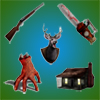 Pure Horror Pairs Game Pure Horror Pairs Game
Plays: 3878
Category: Puzzles Games
A fun paired cards game. match up the picture pairs together in the least amount of guesses possible to gain the top score. Brought to you by OnlineFreeMiniGames.com |
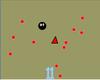 Hide Game Hide Game
Plays: 3875
Category: Other Games
Hide ur player for the enemys and still get to ur target. Can u beat get a high score try it! | 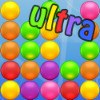 Combine Ultra Game Combine Ultra Game
Plays: 3873
Category: Puzzles Games
Combine is back with 4 new game modes! Again, your goal is to combine three or more balls of the same color to create a new ball of the next color. Unlock all colors to score more points!
The new Quick mode will drop you right in the middle of the game. The Daily Challenge will give you a fixed new challenge every day, to test your skills and strategy against players worldwide! The Freeze mode adds frozen balls, and the Custom mode let's you customize the game, which is a great way to practice new strategies! |
 Slam Drift Game Slam Drift Game
Plays: 3873
Category: Sports Games
It's riot time in the prison and you've managed to sneak out into the main compound. Steal the ambulance and go for a joy ride, make the police earn their paycheck for once. Survive as long as you can and go for the high score.
|  ???? Candy Dungeon Mobile Game ???? Candy Dungeon Mobile Game
Plays: 3872
Category: Action Games
???????????????,?????????,????????,?????????,???????????????,???????????
The player needs to control the cat and eat the fishes, candy and hamburgers within the scheduled period. The score will be deducted if the cat ate the bombs. The time will be shrunken in different game levels. |
 Flash Five Game Flash Five Game
Plays: 3865
Category: BoardGame Games
The goal of Flash Five is to create as many (and best) poker hands as possible within the level time frame. Each level is 60 seconds. Creating a poker hand that matches the level goal(s) will allow you to proceed to the next level when time runs out. Combo points are awarded for matching goals in a row.
Each poker hand is scored based on the strength of the hand (ie a Pair is the lowest where as 5 of a Kind is the highest).
Flash Five includes an integrated (and optional) high score list to view scores from players around the world. View the top 10 players and see how you rank up with the in game rank system. |  Blondes VS Dinos Game Blondes VS Dinos Game
Plays: 3865
Category: Action Games
Blondes not only hunting on Dinosaurs, but also play volleyball with them |
 Coaster Destroyer Game Coaster Destroyer Game
Plays: 3863
Category: Puzzles Games
Here is your chance to do some damage in a theme park! Use weapons to blow up rollercoasters and cause mayhem to the stickman riders! Destroy coaster tracks as you solve each puzzle level by exploding dynamite, banana-bombs, anvils, Rhino-bombs and more to achieve the target score! Good luck! |  Abonny Chase Game Abonny Chase Game
Plays: 3862
Category: Action Games
Abonny is on a mission to kill wolf gang that escape from jail. Chase, run and shoot them on 3 different mission when you can unlock dozen of weapons and compete for highest score. |
 ASD Piano Maestro Compositor Game ASD Piano Maestro Compositor Game
Plays: 3860
Category: Education Games
ESPAÑOL (English bellow)
=======
El ASD Piano es un dispositivo creado por I2 Interactive y vendido ampliamente por todo el mundo. Aqui puedes divertirte jugando con el. Tiene 7 teclas que se corresponden con las 7 notas y puedes tocarlas presionando la tecla correspondiente en tu teclado A-S-D-F-G-H-J
En este juego tiene 3 modos para pasar un buen rato con el ASD Piano TM.
Free Mode: Aqui puedes jugar como quieras, presionando las teclas como desees. Haz click en el boton Back para regresar a la pantalla de titulo.
Memory: Oiras una corta melodia y despues deberas tocarla de nuevo, muchas cortas melodias iran apareciendo y una vez que las toques correctamente puedes enviar tus puntos a la tabla de Hi-Score
Composer: Puedes componer tus propias piezas originales!! y compartirlas con tus amigos, muestra al mundo el talento que tienes!!
En la pantalla del Composer presiona el boton "REC" para empezar a crear tu composicion, toca las teclas como prefieras y sientas de la mejor manera, puedes tocar varias notas a la vez y conseguir increibles resultados. Cuando sientas que esta terminada dale al boton de "STOP" para detener la grabacion. Puedes ajustar la velocidad de la pieza variando el valor dado abajo a la izquierda y tambien puedes añadir una musica de fondo como acompañamiento seleccionandola de la lista de Tunes disponibles de 1 a 6. Puedes tu pieza original dandole a "PLAY", haz click en "STOP" para detenerla en cualquier punto, con la cabeza lectora (flecha verde) parada puedes hacer click en cualquier parte del pentagrama, la cabeza lectora ira alli, tocando cualquier nota ahi modificara esa parte, puedes hacer click en "ERASE PART" para borrar solo esa parte. Si haces click en "ERASE ALL" se borrara toda la composicion asi que ten cuidado, tambien haciendo click en "Back" se borrara toda la composicion asi que salva antes de salir.
Para salvar tu composicion debes hacer click en "SAVE" y luego, en un cuadro blanco situado abajo, haz click con el boton derecho del raton, y en el menu que sale haz click en "Seleccionar todo" luego haz click de nuevo con el boton derecho y selecciona "Copiar" ahora abre tu Bloc de Notas de Windows, ve a "Inicio", luego en "Todos los programas" y despues en "Accesorios", luego haz click en "Bloc de Notas", una vez que se abra, en el menu "Edicion" selecciona "Pegar", luego haz click en "Archivo" y "Guardar" para guardarlo donde quieras.
Para cargar tu pieza o la de tus amigos primero de todo selecciona toda la composicion que tu has recivido (comienza y termina con un numero), luego haz click con el boton derecho en ella y elige "Copiar", luego en el ASD Piano, una vez que estes en el modo Composer, haz click con el boton derecho en el cuadro blanco de abajo y elige "Pegar" luego haz click en el boton "LOAD" y ya puedes hacer click en "PLAY" para escucharla o puedes editarla para añadir tus modificaciones. Puedes tambien hacer click en las canciones prefabricadas "Premade" para cargar una de las 5 melodias disponibles, haciendo esto cargara la cancion entera asi que asegurate de salvar tu composicion antes, mira lo que nuestro talentoso equipo ha hecho y aprende a la vez.
ENGLISH
=============
The ASD Piano is a device made by I2 Interactive and sold widely everywhere. Here you can have fun playing with it. It has 7 keys that correspond to the 7 notes and you can play them by pressing the corresponding keys on your Keyboard A-S-D-F-G-H-J
In this game you have 3 modes to have your fun time with the ASD Piano TM.
Free Mode: Here you can play as you like, pressing the keys as you wish, click the Back button to go to tittle screen.
Memory: You will hear a short melody and then you have to play it again, many short melodies will pop and after succesfully playing them you can submit your score to the Hi-Score table.
Composer: You can compose your own original pieces!! and share with your friends, show the world the talent you have!!
In the composer screen press the "REC" button to start making your composition, play the keys that you wish and feel the best, you can play several keys at the same time and get awesome results. When you feel its finished hit the "STOP" button to finish the recording,
You can adjust your piece speed altering the value given at the bottom left and also you can add a background loop to acompany it selecting from the available tunes from 1 to 6.
You can hear your original piece clicking the "PLAY" button, click "STOP" to halt it at any point, with the playhead stopped you can click on any part of your pentagram, the playhead will go there, and playing any keys there will modify that part, you can click on "ERASE PART" to delete the notes on that part.
If you click "ERASE ALL" the whole piece will be deleted so be careful, also clicking "Back" will delete the piece so save first.
To save it you have to click the "SAVE" button and then, there is a white square at the bottom, right click on it and on the menu click "Select all" then right click again and on the menu click on "Copy" then open your Windows Notepad, go to START then ALL PROGRAMS and then ACCESORIES, then click on Notepad and there select Edit menu and Paste, then click on File and Save to save it anywhere you like.
To load your piece or your friends compositions first of all select the whole composition that you have received (starts and ends with a number), then right click on it and select Copy, then in the ASD Piano, once in the Composer mode right click on the white square at the bottom and select Paste then click on the "LOAD" button and now you can click on "PLAY" to listen to it, or you can edit that to add your own modifications.
You can also click on the premade songs to load them, doing that will load the entire song so be sure to save your work first, see what our talented team has made and learn from there. | 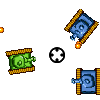 TankRush Game TankRush Game
Plays: 3860
Category: Shooting Games
A top down 2d tank shooter.
Try to survive as many waves of enemy tanks as you can to get the best score! |
 Ancient Pairs 2 Game Ancient Pairs 2 Game
Plays: 3859
Category: BoardGame Games
A fun paired cards game. match up the picture pairs together in the least amount of guesses possible to gain the top score. Brought to you by OnlineFreeMiniGames.com | 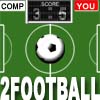 2Football Game 2Football Game
Plays: 3858
Category: Action Games
2-Players Football(soccer): Choose your player (left or right); hit the ball to score the goal. Win the game in time 5 minutes. |