| Online button Games |
|---|
|
 FG Tank Duel Game FG Tank Duel Game
 
Plays: 3944
Category: Action Games
FG Tank Duel is a new game by Flash Games.Shoot bombs to the opponent tank. Press the mouse button to control the angle and power of the shots, be sure to check the wind speed and direction. |  Speedy Clicks Game Speedy Clicks Game
Plays: 3931
Category: Other Games
Simple game in which the user has to click the button as many times as possible in 10 seconds. |
 Streets - Solitaire Game Streets - Solitaire Game
Plays: 3929
Category: Cards Games
Use all your intuition and skill to build the eight foundations using the 40 thieves and 64 more cards from the stock.
Two decks, 104 cards, the undo button and YOU. You will be addicted! |  Simpsons puzzle Game Simpsons puzzle Game
Plays: 3910
Category: Puzzles Games
Click to red button for new parts of picture. |
 Bloody Fun Day Game Bloody Fun Day Game
Plays: 3906
Category: Puzzles Games
What would Death himself do if he were surrounded by ultra-cute critters? Kill them, of course! You play the reaper, who needs to kill red cuties in order to stay alive. Killing other cuties will help charge super powers that make it easier to get to the red cuties. How long can you survive before the dwindling cutie population stifles your life? You can’t help but have a bloody fun day in this addictive puzzler. | 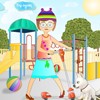 Happy Penny Dressup Game Happy Penny Dressup Game
Plays: 3893
Category: Dress-Up Games
New dress up free online game by Dressup-Games-Free.com Penny is going for a walk with her scooter. Dress up her stylishly! Choose clothes, shoes and accessories and drag it with the mouse to the girl, to take the object off just click at it with the left mouse button. Is Penny ready? Click Finish and enjoy! |
 Way 2 Nest Game Way 2 Nest Game
Plays: 3891
Category: Adventure Games
One of the bird is separate from their nest, can you guide it home by jumping from one leaf to the next. Click on the leaf you want to move to, click on the leaf that is close to the bird. You have exactly one minute to do it, if you need help on how to play. Click on the hint button located on the right next to all the birds. Have fun, make it homes safe. |  Violet Sky Game Violet Sky Game
Plays: 3886
Category: Shooting Games
In this Bubble Shooter game you have to clear every level by shooting balls of the same colour against each other. By clicking and holding the mouse button, you can move the balls after shooting them. |
 Mermaniac Game Mermaniac Game
Plays: 3880
Category: Action Games
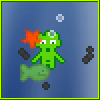
Mermaniac is meant to be a short highscore hunting game in which you play as a merman that tries to swim around as long as possible. Marine animals will be attracted by you and interfere with your actions, pulling you down into the deep sea. Good for you there are some floating oil barrels that you can use to get rid of the them. |  Run Dwooz Run! Game Run Dwooz Run! Game
Plays: 3876
Category: Action Games
Run Dwooz Run is a funny game, you have to change the color of the Dwooz based on the portals which will appear when he is running. You must match the color to that portal to successfully pass through. You will loose a life if you hit a wall, or if you pass a portal without the correct color. This funny Dwooz character is the popular mascot of nowgamez.com which is now featured in his own game. You can slow down time in this game, the surroundings will slow down. You can activate this by pressing the left mouse button. You can collect items in this game by throwing balls at it using the W key. The Dwooz will keep running faster and faster. Well go ahead and play this funny game full of action! |
 Click the Button Game Click the Button Game
Plays: 3871
Category: Other Games
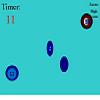
Click the button is an exciting game where you use your mouse to click the button. Beware of look alike buttons as clicking them will result in the end of the game! |  Speed Click Game Speed Click Game
Plays: 3869
Category: Action Games
This is a fun and addictive game, click the button when it turns green. Do it as fast as you can! |
 ChaZie Fashion Show Game ChaZie Fashion Show Game
Plays: 3865
Category: Customize Games
Dressup ChaZie to walk down the runway. Dress one doll or as many as five hit the 3D show button and watch them on the runway!! |  Skull Buster Game Skull Buster Game
Plays: 3863
Category: Action Games
You have one minute to shoot as many skulls as you can before they reach the top of the screen. Use the mouse to move the cross-hair and left mouse button to fire. |
 Beetle Frenzy Game Beetle Frenzy Game
Plays: 3858
Category: Puzzles Games
Click and drag a row of boxes, forming groups of three or more boxes. Collecting 100 boxes will take you to the next level. You will get bonus At the end of each level. The game has a time limit of four minutes. |  One Day One Button Game One Day One Button Game
Plays: 3852
Category: Action Games
Your life is grey?
Every day is the same?
I don't think so...
(MochiJuly2012: Summer Games reference in level 6) |
 City Racers 2 Game City Racers 2 Game
Plays: 3851
Category: Action Games
The Much awaited City Racers 2 and this time you can leave oil slicks :) CTRL button= OIL SLICK and Space Bar = Nitro Boost and arrow key's to move
| 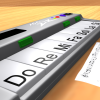 ASD Piano Maestro Compositor Game ASD Piano Maestro Compositor Game
Plays: 3849
Category: Education Games
ESPAÑOL (English bellow)
=======
El ASD Piano es un dispositivo creado por I2 Interactive y vendido ampliamente por todo el mundo. Aqui puedes divertirte jugando con el. Tiene 7 teclas que se corresponden con las 7 notas y puedes tocarlas presionando la tecla correspondiente en tu teclado A-S-D-F-G-H-J
En este juego tiene 3 modos para pasar un buen rato con el ASD Piano TM.
Free Mode: Aqui puedes jugar como quieras, presionando las teclas como desees. Haz click en el boton Back para regresar a la pantalla de titulo.
Memory: Oiras una corta melodia y despues deberas tocarla de nuevo, muchas cortas melodias iran apareciendo y una vez que las toques correctamente puedes enviar tus puntos a la tabla de Hi-Score
Composer: Puedes componer tus propias piezas originales!! y compartirlas con tus amigos, muestra al mundo el talento que tienes!!
En la pantalla del Composer presiona el boton "REC" para empezar a crear tu composicion, toca las teclas como prefieras y sientas de la mejor manera, puedes tocar varias notas a la vez y conseguir increibles resultados. Cuando sientas que esta terminada dale al boton de "STOP" para detener la grabacion. Puedes ajustar la velocidad de la pieza variando el valor dado abajo a la izquierda y tambien puedes añadir una musica de fondo como acompañamiento seleccionandola de la lista de Tunes disponibles de 1 a 6. Puedes tu pieza original dandole a "PLAY", haz click en "STOP" para detenerla en cualquier punto, con la cabeza lectora (flecha verde) parada puedes hacer click en cualquier parte del pentagrama, la cabeza lectora ira alli, tocando cualquier nota ahi modificara esa parte, puedes hacer click en "ERASE PART" para borrar solo esa parte. Si haces click en "ERASE ALL" se borrara toda la composicion asi que ten cuidado, tambien haciendo click en "Back" se borrara toda la composicion asi que salva antes de salir.
Para salvar tu composicion debes hacer click en "SAVE" y luego, en un cuadro blanco situado abajo, haz click con el boton derecho del raton, y en el menu que sale haz click en "Seleccionar todo" luego haz click de nuevo con el boton derecho y selecciona "Copiar" ahora abre tu Bloc de Notas de Windows, ve a "Inicio", luego en "Todos los programas" y despues en "Accesorios", luego haz click en "Bloc de Notas", una vez que se abra, en el menu "Edicion" selecciona "Pegar", luego haz click en "Archivo" y "Guardar" para guardarlo donde quieras.
Para cargar tu pieza o la de tus amigos primero de todo selecciona toda la composicion que tu has recivido (comienza y termina con un numero), luego haz click con el boton derecho en ella y elige "Copiar", luego en el ASD Piano, una vez que estes en el modo Composer, haz click con el boton derecho en el cuadro blanco de abajo y elige "Pegar" luego haz click en el boton "LOAD" y ya puedes hacer click en "PLAY" para escucharla o puedes editarla para añadir tus modificaciones. Puedes tambien hacer click en las canciones prefabricadas "Premade" para cargar una de las 5 melodias disponibles, haciendo esto cargara la cancion entera asi que asegurate de salvar tu composicion antes, mira lo que nuestro talentoso equipo ha hecho y aprende a la vez.
ENGLISH
=============
The ASD Piano is a device made by I2 Interactive and sold widely everywhere. Here you can have fun playing with it. It has 7 keys that correspond to the 7 notes and you can play them by pressing the corresponding keys on your Keyboard A-S-D-F-G-H-J
In this game you have 3 modes to have your fun time with the ASD Piano TM.
Free Mode: Here you can play as you like, pressing the keys as you wish, click the Back button to go to tittle screen.
Memory: You will hear a short melody and then you have to play it again, many short melodies will pop and after succesfully playing them you can submit your score to the Hi-Score table.
Composer: You can compose your own original pieces!! and share with your friends, show the world the talent you have!!
In the composer screen press the "REC" button to start making your composition, play the keys that you wish and feel the best, you can play several keys at the same time and get awesome results. When you feel its finished hit the "STOP" button to finish the recording,
You can adjust your piece speed altering the value given at the bottom left and also you can add a background loop to acompany it selecting from the available tunes from 1 to 6.
You can hear your original piece clicking the "PLAY" button, click "STOP" to halt it at any point, with the playhead stopped you can click on any part of your pentagram, the playhead will go there, and playing any keys there will modify that part, you can click on "ERASE PART" to delete the notes on that part.
If you click "ERASE ALL" the whole piece will be deleted so be careful, also clicking "Back" will delete the piece so save first.
To save it you have to click the "SAVE" button and then, there is a white square at the bottom, right click on it and on the menu click "Select all" then right click again and on the menu click on "Copy" then open your Windows Notepad, go to START then ALL PROGRAMS and then ACCESORIES, then click on Notepad and there select Edit menu and Paste, then click on File and Save to save it anywhere you like.
To load your piece or your friends compositions first of all select the whole composition that you have received (starts and ends with a number), then right click on it and select Copy, then in the ASD Piano, once in the Composer mode right click on the white square at the bottom and select Paste then click on the "LOAD" button and now you can click on "PLAY" to listen to it, or you can edit that to add your own modifications.
You can also click on the premade songs to load them, doing that will load the entire song so be sure to save your work first, see what our talented team has made and learn from there. |
 Think Think World - Box Stacking Game Think Think World - Box Stacking Game
Plays: 3842
Category: Action Games
Think Think World - Box Stacking
The goal is to stack boxes as many as possible. There is a swinging box at the top of the screen. Find the proper time to click left button to drop it down and stack up. The stacked boxes will be shaking in later levels. Stack up boxes to a certain amount to go to the next level.
?????????-???
????????????????,?????????????,????????
????????,??????,??????,????????????????
????????????????? |  Button's Halloween Dress Up Game Button's Halloween Dress Up Game
Plays: 3840
Category: Adventure Games
Dress up Button the girl in all kinds of cute and spooky halloween clothes and items. You can even change her hair, hair colour and face. Can you successfully brew the cauldron's potion 3 times? If you can you will be rewarded with fun bonus items to use in the game. |