| Online screen Games |
|---|
 Dragon Hidden Letters Game Dragon Hidden Letters Game
 
Plays: 2017
Category: Puzzles Games
Find the hidden letters in the image. Buscar letras esconidas en la imagen |  Double Bubble Game Double Bubble Game
Plays: 2016
Category: Puzzles Games
People said chances have to be seized before they slip away. Time to embody the spirit before the bubbles burst! In this game, your goal is to pick the objects which have appeared before. When the game starts, a number of bubbles will ascend from the bottom of the play area, and each of the bubbles contains a certain object. You do not have to click the bubbles if the objects are appearing for the first time, but when an identical item reappears, you need to click the bubble. At each level of the game you will need to collect a certain amount of objects in order to proceed, and you need to accomplish the goal within the time limit as shown at the bottom of the screen, or you will lose. The objects will become trickier as you advance, and if you pick a wrong item your score and the remaining time will be deducted. Test your memory now and memorize as many items as you can! |
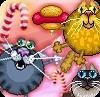 Cats in Candyland Game Cats in Candyland Game
Plays: 2009
Category: Action Games
Welcome to Candy Land – the world of sweet happiness. Everybody loves staying here except cats. They don't like candies, they prefer a different food. Feed the cats with their favorite meal to make them look like balloons and fly away to home. This is a funny physics game from http://nimblepiggy.com .
Every cat prefers only one type of the food. Select the proper type of the food by the mouse in the lower left corner of the screen. After that, use the cannon to throw it to cat. Draw attention, you have limited inventory of provisions so you have to be accurate. |  Killer Sudoku - vol 2 Game Killer Sudoku - vol 2 Game
Plays: 2007
Category: BoardGame Games
Assign numbers 1 to 9 in the empty boxes so that in each 3x3 block, row and column all numbers from 1 to 9 are present without repetitions. The dotted lines indicate areas which also contain a non-repeating set of digits. These squares can be added together to produce the sums shown in the clues.
Click on the numbers in the top right part of the screen to select the number. Click on an empty box to write the number. Click on a previous written number to delete it. |
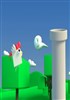 Flying Chickens Game Flying Chickens Game
Plays: 2003
Category: Strategy Games
Clicking on the screen in the game, you need to keep controling the frequency to adjust the flying height of the chicken and landing speed, let the chicken smoothly through the right channel of the picture, if you accidentally bumped into the channel, it came to an end. Quick to challenge it. |  Metal Slug Game Metal Slug Game
Plays: 1996
Category: Adventure Games
This is an awesome "Metal Slug" clone, shooting game, where you've to infiltrate into the enemy territory and shoot down all the hostile guards that come along your way. Destroy the enemy tanks and choppers without getting killed.
Rescue the prisoners along the way, they'll give you new weapon upgrades, health packs or points. You've got limited ammo, so don't let it waste away. If you get killed you'll be able to continue the game with a new life, but if you lose all your lives then sadly, it'll be game over. Good luck dude!
This game is not in English language, so Left Click on the Second Button on the title screen to view the instructions and then Left Click the bottom right button to continue. Then select a difficulty level from the three buttons shown. Finally select your character to begin the game.
You can also change the control keys. Left Click on the Third Button on the title screen and press the desired keys for the different default controls. Finally click on the Left Button to save your changes. If you click the Right Button then the default controls will be restored. |
 2 in 1 Weme adventure S Game 2 in 1 Weme adventure S Game
Plays: 1996
Category: Action Games
2 games on 1 screen. Defend yourself on one screen and collect gems on second. |  Little Mess Game Little Mess Game
Plays: 1994
Category: Puzzles Games
Be patient and sober when you face the mess! In this game, your task is to rearrange the dots so that the lines no longer overlap. When the game starts, you will be multiple dots which form a circle. Each of the dots holds multiple lines, making the lines overlap. To clear the mess, click and drag a dot so that the lines held by it are moved, then click again to fix the dot when you are satisfied with its position. Continue the process until the lines are no longer overlapping. If you are not satisfied with the current progress, you may click the Reset button at the top of the screen to start again, or click the New button at the top left corner to get a new puzzle. The time you have spent will be recorded, so charge into the chaos and battle your way through! |
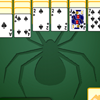 Spider Solitaire Game Spider Solitaire Game
Plays: 1992
Category: Education Games
Are you ready to conquer the Spider? Your goal in this game is to arrange the cards on the tableau piles from K to A so that they can be removed. You will be given 10 tableau piles at the top of the screen, with each of the four piles on the left contains 4 downturned cards and each of the remaining piles contains 3 downturned cards. Each of the tableau piles will then be dealt 1 upturned card. The remaining cards are downturned and divided into 6 stock piles at the bottom right corner. Click and drag the cards on the tableau piles and arrange them according to the required sequence. The downturned cards on the tableau piles will reveal when the upturned cards are removed. An empty tableau pile can be occupied by any card. If no more moves can be made, you can click a stock pile to deal new cards, but note that this can only be done when all tableau piles are occupied by cards. If you are not satisfied with the current progress, you may click the Give Up button at the bottom left corner to quit the current game. Each move you make will cost you 10 points, so aim for a high score by arranging the cards with the fewest steps! |  Dungeon Adventure Game Dungeon Adventure Game
Plays: 1992
Category: Adventure Games
Play as the mystical Wizard Merlin and scour the haunted dungeons for ancient potions. Be careful to avoid the ghosts of former prisoners as you seek to collect all the gems and race for the exit. Playable using the keyboard on desktop or touch screen on mobile phones. |
 Puzzle Poker Game Puzzle Poker Game
Plays: 1991
Category: Casino Games
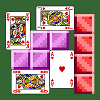
Puzzle Poker is a puzzle game that combines the classic “falling block” game mechanics with poker. The playfield is composed of 25 slots (5 rows for 5 columns) where the cards fall into. At any time the player has a four cards hand (displayed at the top of the playfield area) and can select the card to control among these. The objective of the game is to arrange the cards into poker hands of three, four or five cards (in rows or columns). When this happens these cards are cleared and an amount of points is added to the player score. When all the cards in the deck have been played a penalty is applied based on the number of cards left on the screen. The penalty for each card is initially 100 points but increases with increasing levels. When the player clears all the cards in a level the penalty is restored to 100 points. The game is over when a card overflows the playfield area or, after a level, the player score is lower than zero. After each level, if the player score is positive, the player has to option: save the score and quit or continue the game. |  My Pet's Makeover Game My Pet's Makeover Game
Plays: 1990
Category: Dress-Up Games
Give this cute pet a completely makeover, select the item that your pet wants to wear at the bottom of the screen. |
 Sudoku Challenge - vol 2 Game Sudoku Challenge - vol 2 Game
Plays: 1988
Category: Puzzles Games
Play the sudoku game. The entire table is divided in 9 sections, each of 3x3 boxes. Assign numbers 1 to 9 in the empty boxes so that in each section, row
Click on the numbers in the top right part of the screen to select the number. Click on an empty box to write the number. Click on a previous written number to delete it.
and column all numbers from 1 to 9 are present without repetitions. |  Tritris Game Tritris Game
Plays: 1986
Category: Action Games
This is perhaps one of the most challenging versions of tetris you've ever played, as you have to control three falling blocks simultaneously! Same as the original tetris, your goal in this game is to move and rotate the descending blocks so that they can form a complete row and be destroyed. Before the game starts, you are allowed to set the starting level and the number of game piles. Choose a level between 1 to 20 and the number of game piles from 1 to 3 by clicking the up and down arrow buttons shown on the right of the screen. After you have completed the settings, click the Start button at the bottom to begin the game. Then you will be given your chosen number of piles, and a block will move downward in each of the piles. To move of the blocks, you may use the left, right and down arrow keys on your keyboard. Press X to rotate the block in clockwise direction, or press Z for counterclockwise rotation. If you have more than one pile, you may press Spacebar to move to another pile and control the blocks. The next block will be shown at the top of the piles, so take notice of these hints for better arrangement. When the blocks form a complete row, they will be removed from the pile. If the blocks reach the top of a pile and no more blocks can be destroyed, the game ends. Showcase your brilliant performance of Tritris to impress your friends! |
 Montris Game Montris Game
Plays: 1983
Category: Action Games
Your favorite arcade classic has come back to life and is waiting for your challenge! In the game of Montris, your goal is to rotate the groups of blocks so that they fill the rows in the play area and then be destroyed. When the game starts, a group of blocks will descend from the top of the play area, and the next group will be displayed at the top left corner of the play area for your reference. You can press the left and right arrow keys on your keyboard to move the group of blocks, the up arrow key or X key to rotate the block in clockwise direction, the Z key for counterclockwise rotation, and the down arrow key to drop the block. When the groups of blocks fill a complete row, they will be removed from the play area. Each level has a specific number of rows to be filled, as shown on the right of the screen. You need to fulfill the requirement in order to proceed. If the blocks pile up and reach the top of the play area, the game ends. Charge into the electrifying cascades for unlimited excitement! |  Baby Hazel Grab Presents Game Baby Hazel Grab Presents Game
Plays: 1978
Category: Other Games
Christmas is Baby Hazel favorite season. Help her to bounce and grab all the presents that are on screen for all children to be happy. Be careful of falling you have 3 lives to try to get as many gifts as you can and go to the next level. |
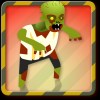 Zombie Getaway Game Zombie Getaway Game
Plays: 1976
Category: Action Games
Run for your life! Avoid zombie attacks and jump over obstacles. Collect food as you run and use it to upgrade your abilities to become faster and stronger. Feeling brave? Barge into zombies to knock them down. Watch out: higher levels mean more zombies! | 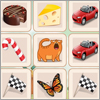 Memory tiles Game Memory tiles Game
Plays: 1975
Category: Puzzles Games
On the game screen located hole cards. Mouse click open image. Identical images disappear. The game ends when all cards are removed. |
 Pizza Tangle Game Pizza Tangle Game
Plays: 1974
Category: Adventure Games
Help the mousy Italian chef to chop fresh ingredients for his famous pizzas! React fast, but be careful: not all ingredients are safe… Four stages, 48 levels, lots of fun and features. Cut any fresh food that appears on the screen to cook a delicious pizza. Upgrade your skills, flip a coin to grab your bonus and stay tuned with the traps that appear suddenly! | 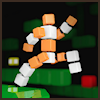 DuoTasking Game DuoTasking Game
Plays: 1968
Category: Action Games
Control your robot and laser cannon simultaneously - DuoTasking is a multitasking-puzzle-platformer with unique and fun gameplay. You have not played a game like this before! Work through the tricky levels by multitasking - or duotasking - with your robot and laser cannon at the same time!
Move the robot across the screen to collect bonus items, and destroy enemies with the laser cannon. Be careful though, as whenever you move your robot left to right, your laser cannon moves top to down!
The simple but addictive twist in DuoTasking is the fact that you are in control of two characters at the same time, and especially towards more challenging levels, you need to plan your next move carefully considering both objects' positions. You will need the cannon to destroy enemies and make room for the robot to move, but can't let the cannon touch hostile objects.
Have fun duotasking! |