| Online pressing Games |
|---|
|
 Stomp! Game Stomp! Game
 
Plays: 4926
Category: Multiplayer Games
- Stomp on your opponent!
1) a 'Stomp' is the act of moving your 'marker' (the solid object) to the current position of your 'target' (the object you move around) by pressing the spacebar.
2) each time you Stomp on top of your opponent's marker you earn one point.
3) you must Stomp 'off' of an opponent's marker, before you can Stomp 'on' them again.
4) the first player to earn 10 points wins the match! |  Catch an epic mouse Game Catch an epic mouse Game
Plays: 4919
Category: Other Games
You need to catch that mouse pressing left key many times |
 MINEHUNTER Game MINEHUNTER Game
Plays: 4879
Category: Puzzles Games
Try to get all boxes clear without pressing on a bomb. |  Underneath Game Underneath Game
Plays: 4877
Category: Action Games
Seriously, robots. Stop falling down caves and having adventures already. Thinking you're all cool with your platforming and gem collecting, all strutting around using the arrow keys and jumping by pressing X.
If you love caves so much, why don't you marry one, robot? Ugh.
Freaking robots. |
 Jahooma's Bubbles Game Jahooma's Bubbles Game
Plays: 4792
Category: Action Games
You must pop bubbles rising to the top by pressing the corresponding key. To gain score you have to pop them while they are in the rectangles, and the more consecutive bubbles you pop, the greater your score. |  Steampack 2 - Christmas time Game Steampack 2 - Christmas time Game
Plays: 4761
Category: Action Games
It's Christmas Time also in the Sky Islands!
Pick up your steam jetpack and go collect candies and ruby xmas balls in the sky to decorate your magic xmas tree ! :)
If you collect all the ruby balls, you'll dance gangnam style under the xmas tree :-)
Happy Xmas !!
* IMPORTANT: Game Auto-saves your progress !
Spacebar to advance to next level when you complete a level (instead of pressing button) |
 FG Darts 301 Game FG Darts 301 Game
Plays: 4739
Category: Other Games
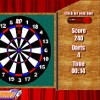
Starting from a set score of 301 you win by reducing this score to zero. The first and the last dart must hit a double field. To pick up a dart click on the dart in the upper right. Now aim with your mouse and throw the dart by pressing the left mouse button. |  Paraglider Game Paraglider Game
Plays: 4554
Category: Action Games
You are the paraglider, which for unknown reasons, fell into a deep ice hopper. You fall down holes, holding an umbrella. You have to control it using the mouse to the green snowflake was the farthest away from you - so you earn points. By pressing enter you can change the green snow flake (- 3 pts.) Unfortunately, every contact with ice or snow flakes that your disaster..
Look at the green circle and a red snowflake - they should meet. They meet when the umbrella is as far as green circles. |
 Twin Baby Boy And Girl Game Twin Baby Boy And Girl Game
Plays: 4547
Category: Dress-Up Games
These two little twin baby boy and girl are so irresistible. They both have a tremendous wardrobe and wait for you to dress them up in their most cutest outfits. You can combine multiple clothes and items like a candy, a rattle or a teddy bear. View the final result by pressing on the show button. |  Woman Police Dress Up Game Woman Police Dress Up Game
Plays: 4506
Category: Dress-Up Games
Female police office dress-up game that will have women police attire. Comments on what he did in the game by pressing the Start entry after installation by using your mouse to left side after completing the make-up make-up materials immediately after use Dress Up button located at the bottom will continue. After completing the entry by clicking on the Done Dress up your woman dressed up and you can see the police. Good Luck. |
 Zombie School Game Zombie School Game
Plays: 4270
Category: Action Games
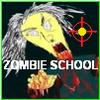
All the kids are too cool for school, but want to go back after a great summer to meet some new friends, but all the schools have been taken over by ZOMBIES and the kids are upset that they can't go back and have to rid the schools from Zombies anyway they can.
Zombie School is a fast paced game. It's all about reaction time and fast reloading! You shoot the Zombies by placing the cross hairs and pressing the left mouse button. You have to do this fast or you will lose a life. Don't shoot the students or you will lose all your lives and the game will be over. The faster you shoot the more points you will score. To reload your gun when your empty, you'll see the school bell start to flash, click left mouse quickly to reload. Hint: Watch your ammo! Look for health one-ups. Shoot these to gain back lives, but be careful when you shoot them! Get to 100,000 and you rid the schools from ZOMBIES and win the game!!
Be top score in Zombie School on the net.Enjoy!! |  Aliens Must Die : The Jupiter Wars Game Aliens Must Die : The Jupiter Wars Game
Plays: 4262
Category: Shooting Games
Coding by Longanimals, Artwork by robotJAM
Take control of the last starship and defeat endless rounds of alien bad guys, helped out by your co pilot annie. |
 Otrail Game Otrail Game
Plays: 4134
Category: Puzzles Games
The game is centered on getting enough points to move on to the next level under a restricted time limit. You control a paddle which allows you to bounce a ball and keep it from falling and being destroyed. The balls bounce height can be manipulated by pressing up or down as the ball hits the paddle. Using those simple techniques you must complete the levels objective to gain points.
There are no lives or number of balls to worry about. The only thing that restricts you is the time limit on the level.
The games game play is simplistic but continually addictive throughout the games 20 unique and progressively challenging levels. Although the game play is not incredible fast it requires quick reflexes as well as short term strategy (some luck is also involved). | 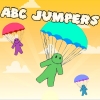 ABC jumpers Game ABC jumpers Game
Plays: 4132
Category: Education Games
Falling manikins must not be broken up! You must help them to use a parachute by pressing the correct letter on your keyboard. |
 Space Beats Game Space Beats Game
Plays: 4125
Category: Action Games
Play along to the beat of the music by pressing the correct arrow keys in time with the beat (don't worry, more detailed instructions are in-game).
To win, get to the end of each song without your crowd approval (top left corner in-game) reaching 0.
A neat feature of this game is that you're able to load songs from your computer and play with them instantly, because Space Beats analyzes the song on-the-go to find its beat and creates the gameplay in real-time. So if you don't like the songs we've packaged with the game, you'll be fine :)
Enjoy the game! Here are some hints to help you out:
-Don't get too distracted by the background graphics, try to focus on the arrows.
-Focus on the arrows closest to the goal, and be ready to press those specific arrow keys. Planning even a half-second ahead can make playing the game much easier.
-Every once in a while, glance up at your crowd approval (top-left corner of the game) to make sure it's not too low. If it is, you'd better start trying harder - if your crowd approval gets to 0, you lose!
Have fun!
-littleMonsterGames. |  Super Girls Club Game Super Girls Club Game
Plays: 4022
Category: Dress-Up Games
Dress up the girls of the super girl club. Select one of the models to work with and try think of a revolutionary make over. Show or print your creations by pressing the show off button. Use the mouse to play this game made for girls. |
 Run Dwooz Run! Game Run Dwooz Run! Game
Plays: 3876
Category: Action Games
Run Dwooz Run is a funny game, you have to change the color of the Dwooz based on the portals which will appear when he is running. You must match the color to that portal to successfully pass through. You will loose a life if you hit a wall, or if you pass a portal without the correct color. This funny Dwooz character is the popular mascot of nowgamez.com which is now featured in his own game. You can slow down time in this game, the surroundings will slow down. You can activate this by pressing the left mouse button. You can collect items in this game by throwing balls at it using the W key. The Dwooz will keep running faster and faster. Well go ahead and play this funny game full of action! |  ASD Piano Maestro Compositor Game ASD Piano Maestro Compositor Game
Plays: 3860
Category: Education Games
ESPAÑOL (English bellow)
=======
El ASD Piano es un dispositivo creado por I2 Interactive y vendido ampliamente por todo el mundo. Aqui puedes divertirte jugando con el. Tiene 7 teclas que se corresponden con las 7 notas y puedes tocarlas presionando la tecla correspondiente en tu teclado A-S-D-F-G-H-J
En este juego tiene 3 modos para pasar un buen rato con el ASD Piano TM.
Free Mode: Aqui puedes jugar como quieras, presionando las teclas como desees. Haz click en el boton Back para regresar a la pantalla de titulo.
Memory: Oiras una corta melodia y despues deberas tocarla de nuevo, muchas cortas melodias iran apareciendo y una vez que las toques correctamente puedes enviar tus puntos a la tabla de Hi-Score
Composer: Puedes componer tus propias piezas originales!! y compartirlas con tus amigos, muestra al mundo el talento que tienes!!
En la pantalla del Composer presiona el boton "REC" para empezar a crear tu composicion, toca las teclas como prefieras y sientas de la mejor manera, puedes tocar varias notas a la vez y conseguir increibles resultados. Cuando sientas que esta terminada dale al boton de "STOP" para detener la grabacion. Puedes ajustar la velocidad de la pieza variando el valor dado abajo a la izquierda y tambien puedes añadir una musica de fondo como acompañamiento seleccionandola de la lista de Tunes disponibles de 1 a 6. Puedes tu pieza original dandole a "PLAY", haz click en "STOP" para detenerla en cualquier punto, con la cabeza lectora (flecha verde) parada puedes hacer click en cualquier parte del pentagrama, la cabeza lectora ira alli, tocando cualquier nota ahi modificara esa parte, puedes hacer click en "ERASE PART" para borrar solo esa parte. Si haces click en "ERASE ALL" se borrara toda la composicion asi que ten cuidado, tambien haciendo click en "Back" se borrara toda la composicion asi que salva antes de salir.
Para salvar tu composicion debes hacer click en "SAVE" y luego, en un cuadro blanco situado abajo, haz click con el boton derecho del raton, y en el menu que sale haz click en "Seleccionar todo" luego haz click de nuevo con el boton derecho y selecciona "Copiar" ahora abre tu Bloc de Notas de Windows, ve a "Inicio", luego en "Todos los programas" y despues en "Accesorios", luego haz click en "Bloc de Notas", una vez que se abra, en el menu "Edicion" selecciona "Pegar", luego haz click en "Archivo" y "Guardar" para guardarlo donde quieras.
Para cargar tu pieza o la de tus amigos primero de todo selecciona toda la composicion que tu has recivido (comienza y termina con un numero), luego haz click con el boton derecho en ella y elige "Copiar", luego en el ASD Piano, una vez que estes en el modo Composer, haz click con el boton derecho en el cuadro blanco de abajo y elige "Pegar" luego haz click en el boton "LOAD" y ya puedes hacer click en "PLAY" para escucharla o puedes editarla para añadir tus modificaciones. Puedes tambien hacer click en las canciones prefabricadas "Premade" para cargar una de las 5 melodias disponibles, haciendo esto cargara la cancion entera asi que asegurate de salvar tu composicion antes, mira lo que nuestro talentoso equipo ha hecho y aprende a la vez.
ENGLISH
=============
The ASD Piano is a device made by I2 Interactive and sold widely everywhere. Here you can have fun playing with it. It has 7 keys that correspond to the 7 notes and you can play them by pressing the corresponding keys on your Keyboard A-S-D-F-G-H-J
In this game you have 3 modes to have your fun time with the ASD Piano TM.
Free Mode: Here you can play as you like, pressing the keys as you wish, click the Back button to go to tittle screen.
Memory: You will hear a short melody and then you have to play it again, many short melodies will pop and after succesfully playing them you can submit your score to the Hi-Score table.
Composer: You can compose your own original pieces!! and share with your friends, show the world the talent you have!!
In the composer screen press the "REC" button to start making your composition, play the keys that you wish and feel the best, you can play several keys at the same time and get awesome results. When you feel its finished hit the "STOP" button to finish the recording,
You can adjust your piece speed altering the value given at the bottom left and also you can add a background loop to acompany it selecting from the available tunes from 1 to 6.
You can hear your original piece clicking the "PLAY" button, click "STOP" to halt it at any point, with the playhead stopped you can click on any part of your pentagram, the playhead will go there, and playing any keys there will modify that part, you can click on "ERASE PART" to delete the notes on that part.
If you click "ERASE ALL" the whole piece will be deleted so be careful, also clicking "Back" will delete the piece so save first.
To save it you have to click the "SAVE" button and then, there is a white square at the bottom, right click on it and on the menu click "Select all" then right click again and on the menu click on "Copy" then open your Windows Notepad, go to START then ALL PROGRAMS and then ACCESORIES, then click on Notepad and there select Edit menu and Paste, then click on File and Save to save it anywhere you like.
To load your piece or your friends compositions first of all select the whole composition that you have received (starts and ends with a number), then right click on it and select Copy, then in the ASD Piano, once in the Composer mode right click on the white square at the bottom and select Paste then click on the "LOAD" button and now you can click on "PLAY" to listen to it, or you can edit that to add your own modifications.
You can also click on the premade songs to load them, doing that will load the entire song so be sure to save your work first, see what our talented team has made and learn from there. |
 Alien Rescue Game Alien Rescue Game
Plays: 3832
Category: Action Games
Game name is "Alien Teleportation". It is based on physics engine and have a nice graphics.The objective of the game is to remove unnecessary blocks and to land Alien on teleportation block. If all this done you can teleport the Alien.It has 90 levels, many blocks types. All 90 levels divided into 3 worlds (constellations) which has different graphics on background. Constellations are appears in main menu during progress of game. Then you can choose any level by pressing planet in those constellations. |  Acool Diamond Blocks Game Acool Diamond Blocks Game
Plays: 3799
Category: Puzzles Games
Description
A classic nostalgic game developed by Acool Games. Maybe each one has a deep impression about the classic game with lasting appeal, Tetris, within several simple blocks can bring you a variety of joys.
Controls
Use keyboard to control.
Press ?to rotate, spacebar to drop, ?/? to shift to left/right.
Pause the game if necessary by pressing 'P'. |